

Income & expenses
Driving instructor accounts, without the shoebox.
See your income at a glance, know exactly who has paid and who owes, and keep prepaid credits, discounts and expenses straight all year. When self-assessment comes round, export a clean CSV and hand it over. Passly tracks and records your payments, it doesn't process cards.
Your books, kept as you go
Everything a self-employed instructor needs to stay on top of the money
Passly records the money side of your teaching as it happens, so nothing waits until January and no lesson slips through unpaid.
Income dashboard
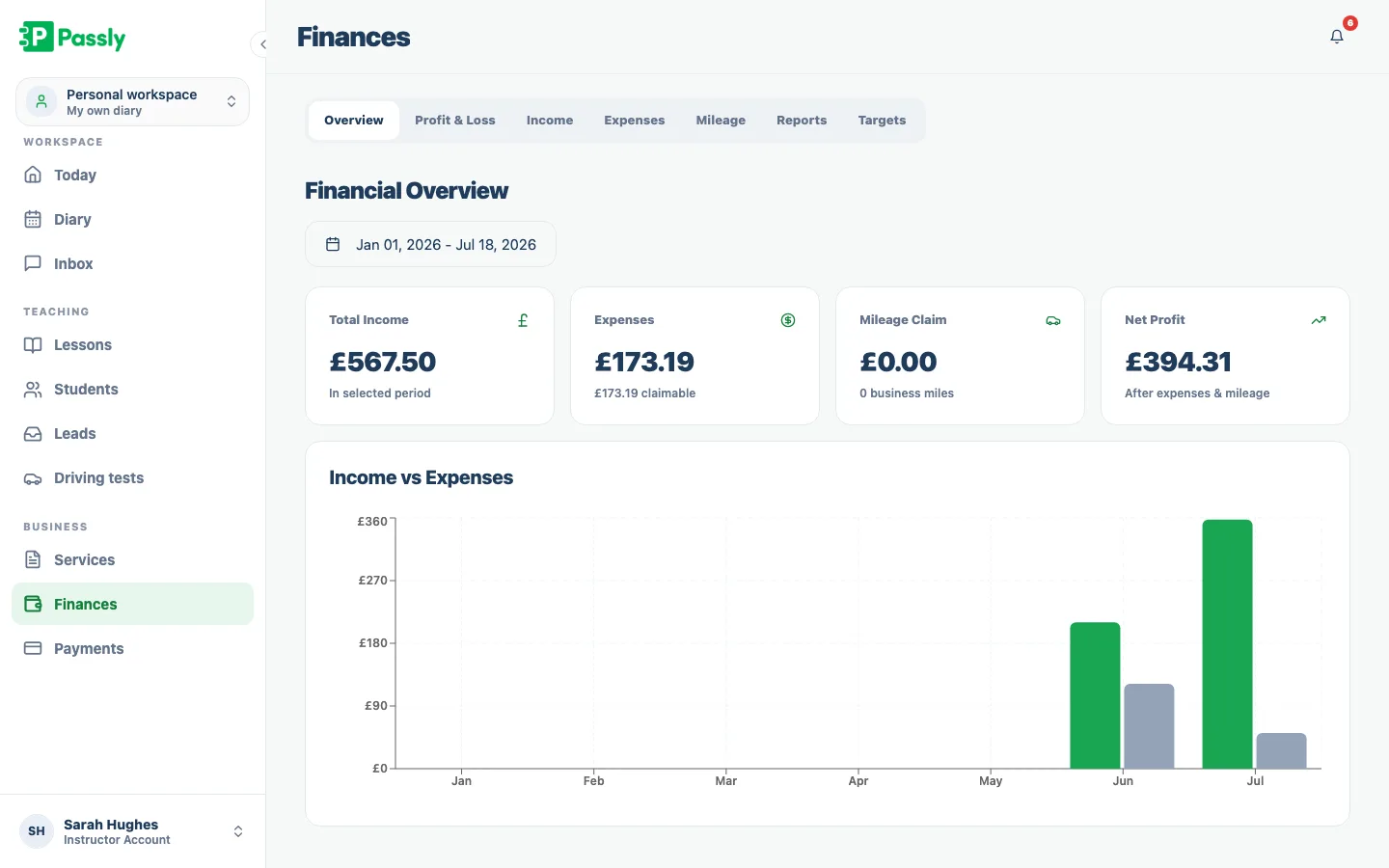
See what you've earned over any date range, with a running financial overview and chart. Your year takes shape without a spreadsheet in sight.
Who's paid, who owes
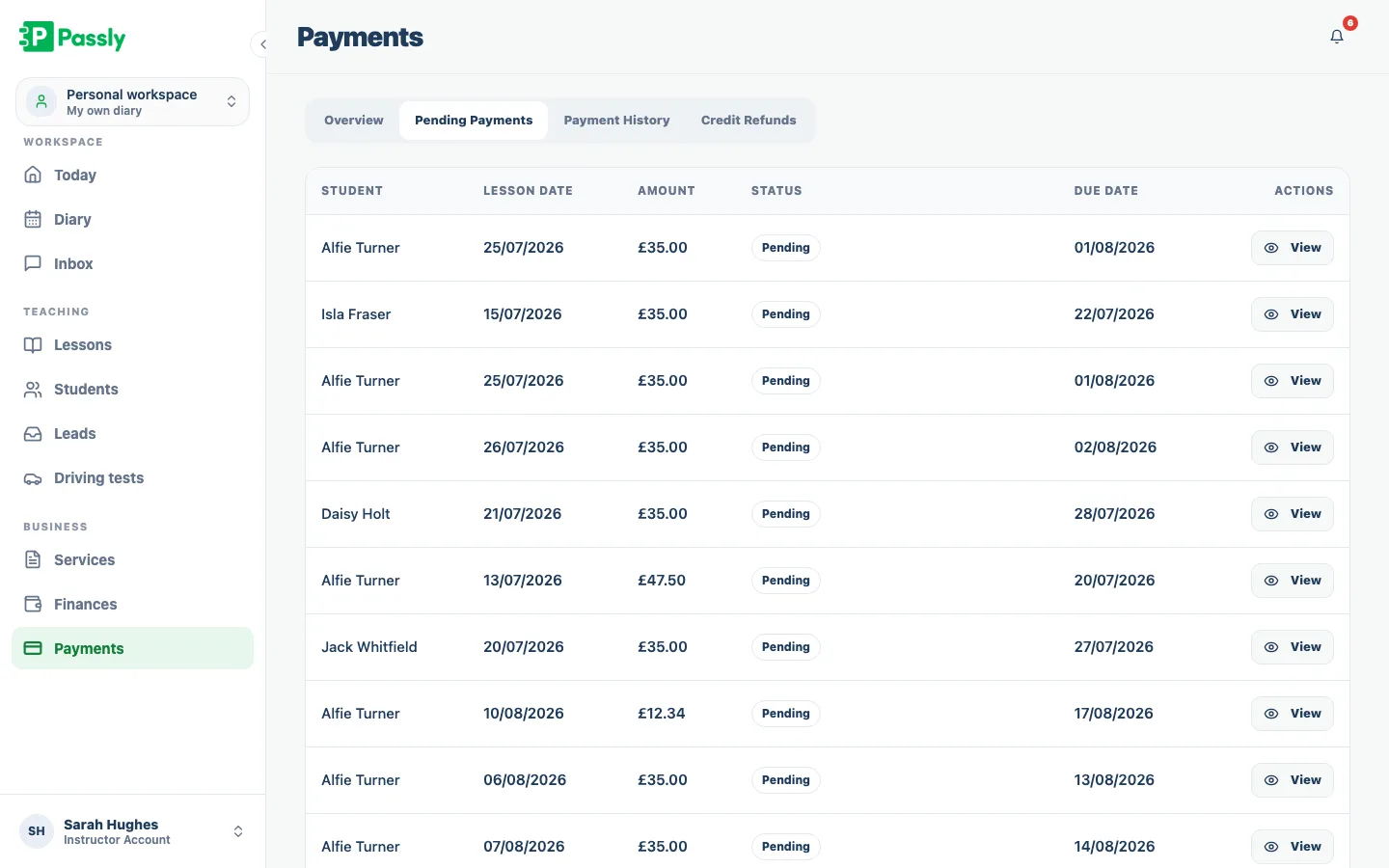
Every lesson is marked paid or outstanding. Pending payments sit in one list so an unpaid lesson never quietly disappears.
Credits and block bookings
Sell blocks of lessons as prepaid credit and Passly draws them down as pupils learn. You always know how many credits each learner has left.
Discounts that behave
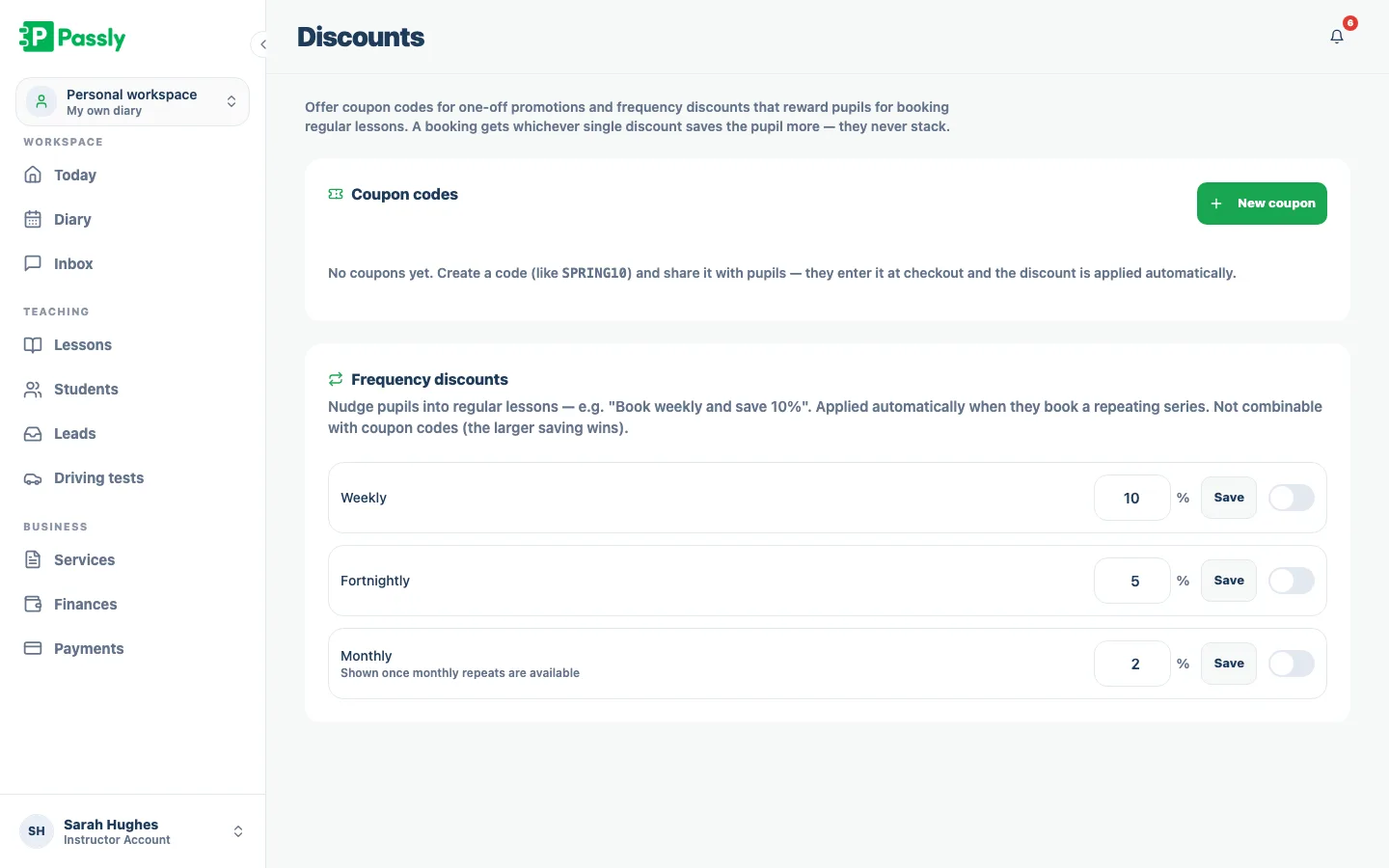
Run coupon codes for promotions and frequency discounts for regular pupils. A booking gets whichever single discount saves more, they never stack.
Payment reminder emails
Chase an overdue balance with a reminder email in a couple of clicks, instead of an awkward text. Passly sends it for you.
CSV export for tax
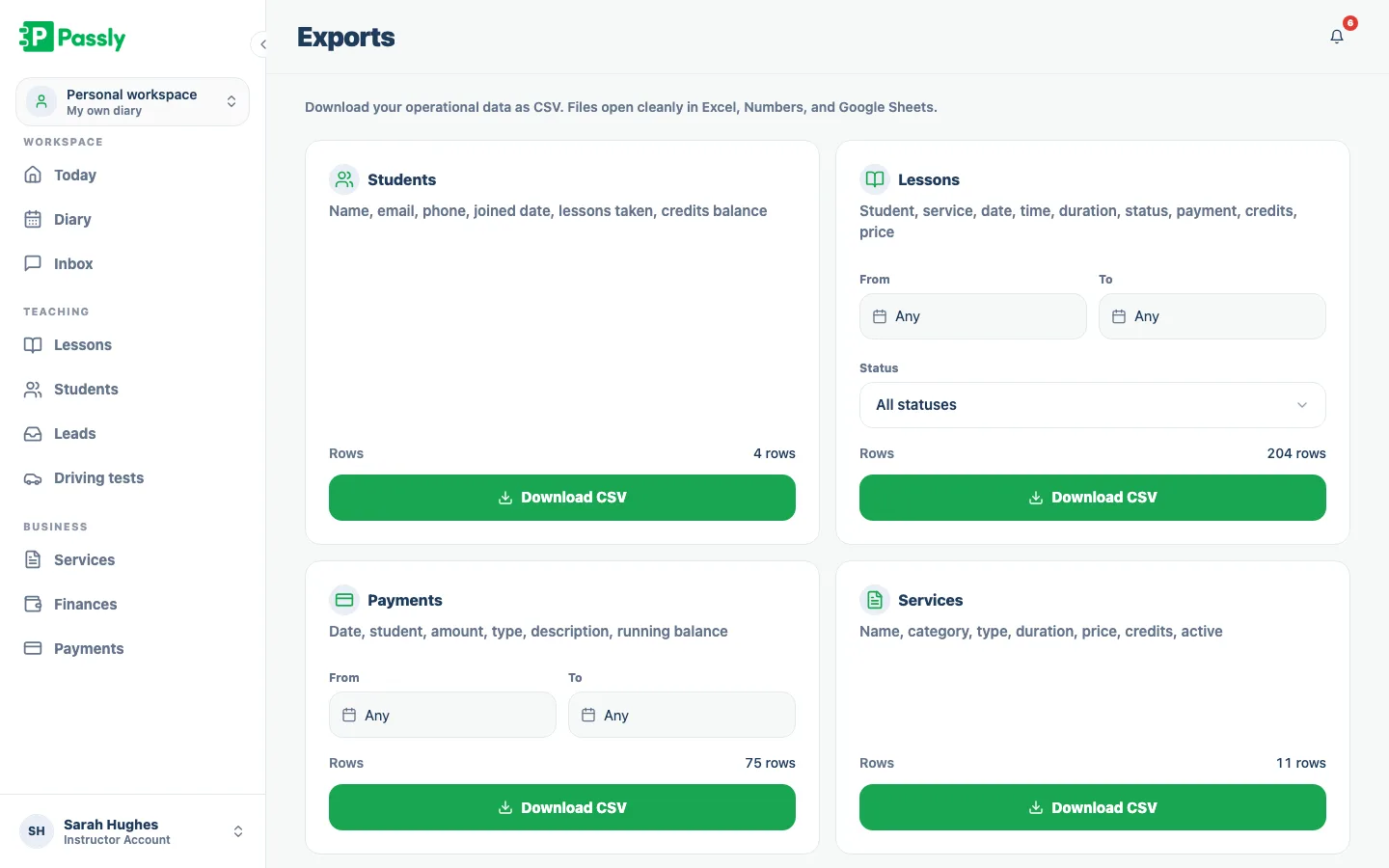
Download your payments, lessons, pupils and services as CSV that opens cleanly in Excel, Numbers or Google Sheets, ready for your accountant.
How Passly keeps the money side straight
Income that adds itself up
As you record lessons and payments, Passly builds a financial overview and chart for any date range. Compare months or review the year so far without re-entering figures in a spreadsheet. The dashboard reflects the records you already keep in Passly.
- Financial overview and chart across any date range
- Built from the payments you already record
- Compare months or view the whole year to date
- No spreadsheet and no double entry
Never lose a lesson to a forgotten payment
Passly marks each lesson paid or outstanding and gathers pending payments in one place. It records cash, transfers, pay-now and pay-later arrangements but does not process the payment itself. From the pending list, you can send a reminder email and keep refunds or credits reflected in the balance.
- Every lesson marked paid or outstanding
- Pending payments gathered in one list
- Send a reminder email in a couple of clicks
- Payment tracking, not card processing
Credits, blocks and discounts that just work
Packages become prepaid lesson credits that draw down as lessons are used. Both instructor and learner can see the remaining balance. Coupon codes and frequency discounts are applied without stacking, and income records keep the actual amount charged.
- Block bookings held as prepaid lesson credits
- Credits draw down automatically as pupils learn
- Coupon codes and frequency discounts, never stacked
- Discounted lessons recorded at the real amount
Export-ready when the taxman calls
Export payments, lessons, pupils and services as CSV for Excel, Numbers or Google Sheets. Use the data with Passly's Tax Estimator for planning or give it to your accountant. Passly keeps and exports the records; it does not file a return with HMRC.
- Export payments, lessons, pupils and services as CSV
- Opens cleanly in Excel, Numbers and Google Sheets
- Pairs with the free Tax Estimator tool
- Not HMRC filing software, clean records and export only
Questions & answers
Does Passly take card payments from pupils?
No. Passly tracks and records payments, pay-now, pay-later, cash or transfer, but it does not process card payments itself. It keeps an accurate record of who has paid and who owes, so your income figures are always right, while you stay in control of how the money actually reaches you.
How do I keep track of who owes me money?
Every lesson is marked paid or outstanding, and all pending payments gather in one list. You can see exactly what you're owed at a glance, and send an overdue pupil a payment reminder email in a couple of clicks rather than an awkward text.
How do lesson credits and block bookings work?
Sell a block of lessons and it lands on the pupil's account as prepaid credit. Each lesson they take draws the credit down automatically, and both you and the learner can see how many credits are left. If you need to unwind a prepaid lesson, credit refunds are tracked too.
Can I offer discounts to my pupils?
Yes. You can create coupon codes for one-off promotions and frequency discounts that reward pupils for booking regularly. A booking always gets whichever single discount saves the pupil more, discounts never stack, and the real amount charged feeds straight into your income records.
Can I export my data for my accountant or self-assessment?
Yes. You can export your payments, lessons, pupils and services as CSV files that open cleanly in Excel, Numbers or Google Sheets. Do your own return or hand the files to an accountant, the full year of data is a click away, with no retyping.
Does Passly file my tax return with HMRC?
No. Passly is not tax-filing software and doesn't submit anything to HMRC. It keeps clean, export-ready records of your income and lets you download them for self-assessment. For an estimate of your take-home after tax, try the free Passly Tax Estimator tool.
Can I track expenses and mileage too?
Yes. Alongside income, Passly's finances section lets you record expenses and log business mileage, with a profit and loss view and financial reports. It's a fuller picture of the business than income alone, all kept in the same place you already run your diary.
Explore more features
An online booking system built for driving instructors
Let pupils book from your real availability, embed a booking widget on your site and confirm every lesson by email.
Learn moreDriving instructor pupil communication, all in one place
In-app pupil messaging plus automatic confirmations, reminders and payment nudges by email, in-app and push, no more 9pm texts.
Learn morePupil management software that keeps every learner in one place
A proper pupil CRM: records, lesson history, notes, per-pupil pricing, a leads inbox and CSV exports.
Learn more