

Lesson gap filling
Never lose a cancelled hour.
A pupil cancels and the empty slot goes straight out to your other pupils as a free push notification. The first to claim books it, the booking lands in your diary, and you stay on the road instead of parked up unpaid. You choose when Passly offers gaps out: every time, only when you say, or never.
Cancellations become bookings
The gap fills itself while you teach
Advertising a gap takes a few seconds. From there Passly notifies your pupils, takes the first claim as the booking and tidies up after itself if nobody bites.
Advertise in one tap
Cancel a lesson and Passly offers to advertise the empty slot, or advertise any gap straight from the diary. Set the time, duration and an optional note to pupils.
Free push notifications
Every active pupil gets a push notification in the Passly app the moment a gap goes live. No per-text fees and nothing extra to pay.
First to claim books it
The first pupil to claim gets the slot and the booking lands in your diary on the spot. No group-chat scramble, no double bookings.
You stay in control
Choose whether Passly prompts you after each cancellation, advertises gaps automatically, or stays out of the way entirely. Withdraw an advert at any time.
Adverts expire on their own
Set how long a gap stays claimable, up to the moment the slot starts. If nobody claims it, the advert quietly expires, and no stale offers hang around.
No notification spam
Pupils get at most three gap notifications a day, so an unlucky week of cancellations never turns into a wall of pings that gets the app muted.
How gap filling works
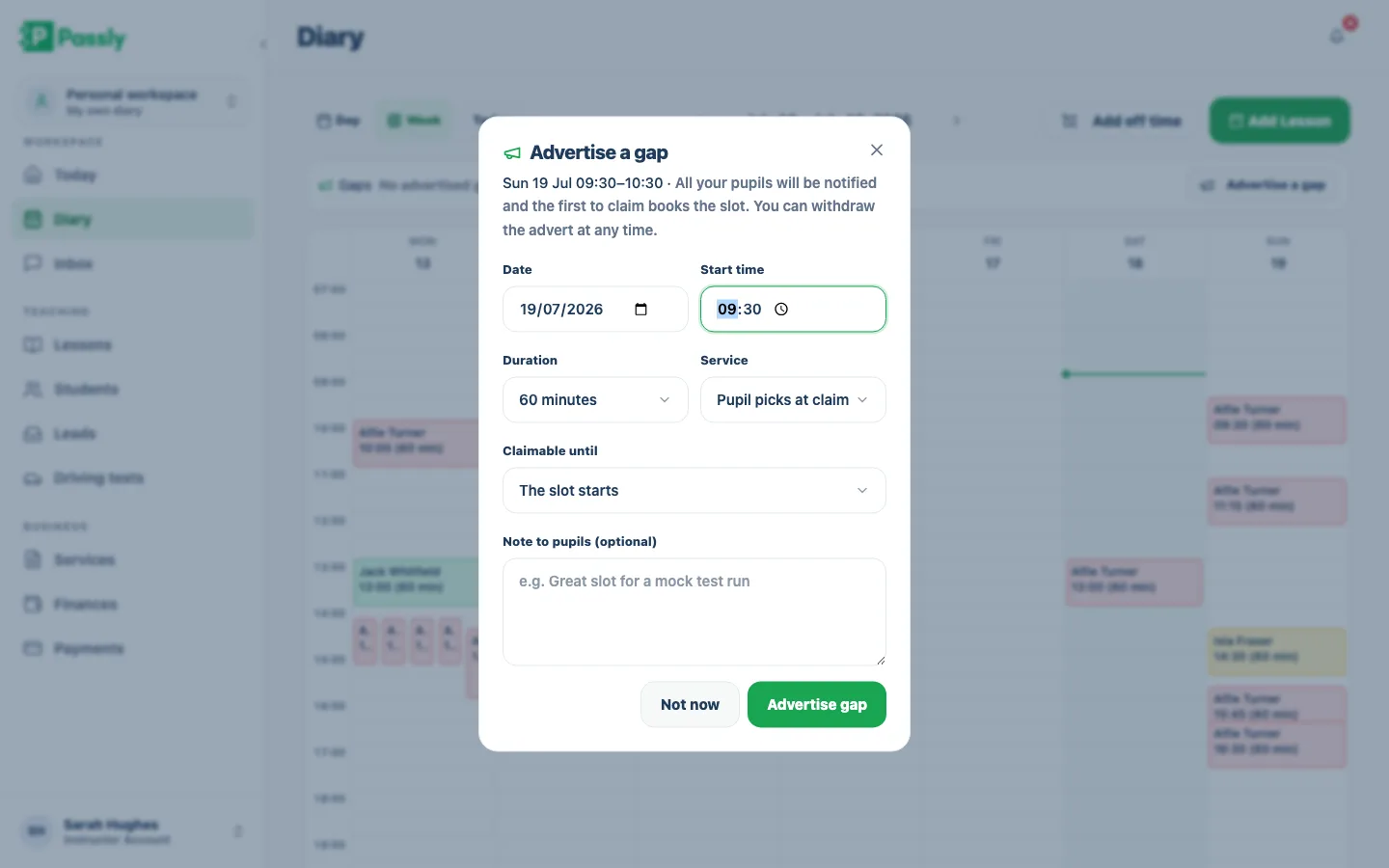
Advertise the gap in seconds
When a pupil cancels, Passly offers to advertise the freed slot there and then, or you can advertise any gap from the diary. Pick the date, start time and duration, choose a service or let the pupil pick when they claim, set how long the advert stays claimable and add an optional note. One tap and it's live.
- Prompted automatically after a cancellation, or start from the diary
- Pupil picks the service at claim, or you fix it up front
- Optional note to pupils: "great slot for a mock test run"
- Claimable until the slot starts, or a cut-off you choose
Your pupils hear about it instantly
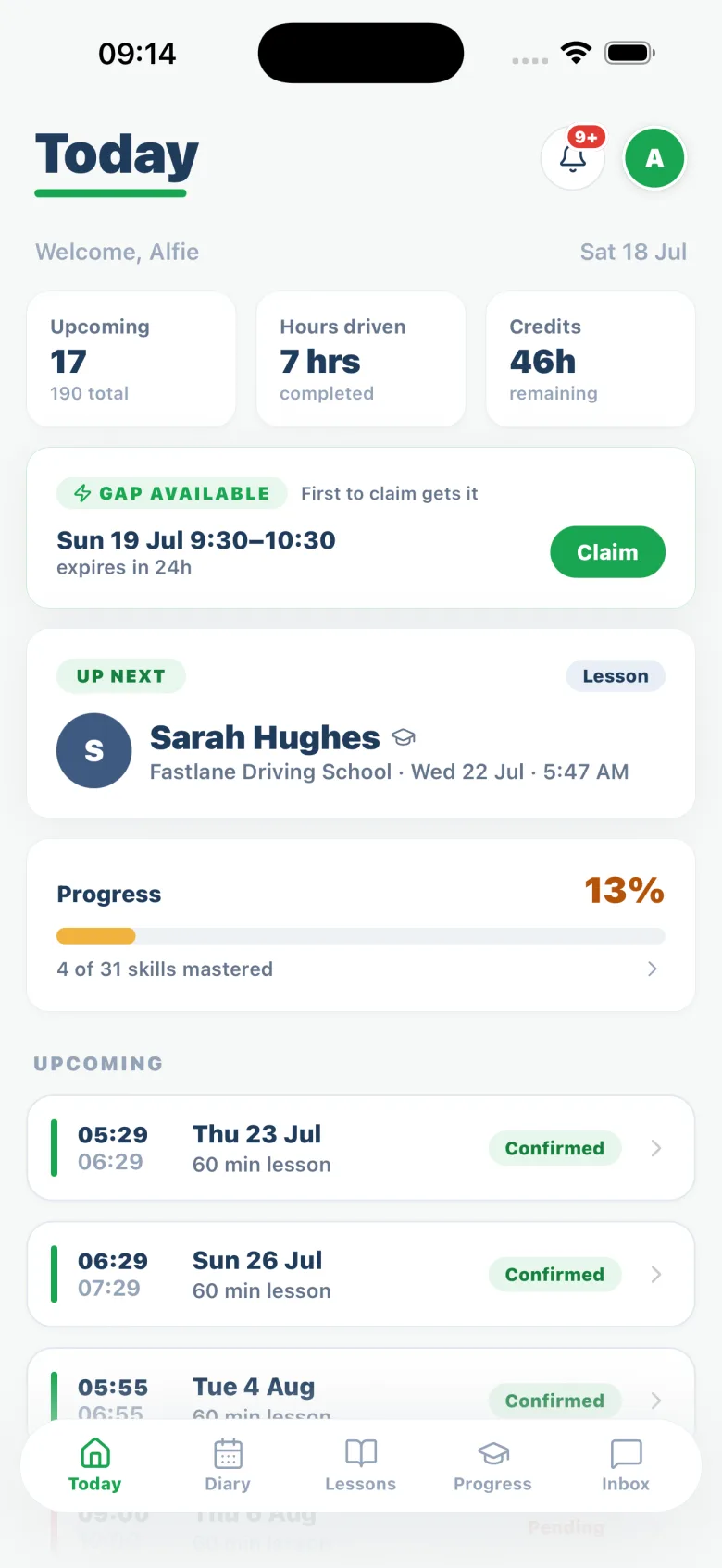
The moment a gap goes live, your active pupils get a free push notification in the Passly app and the slot appears as a claimable card on their Today screen. First come, first served, and pupils never get more than three gap notifications a day, so the offers stay welcome.
- Free push notification to every active pupil
- Gap card on the pupil's Today screen with one Claim button
- First to claim gets the slot
- Capped at three gap notifications per pupil per day
The claim becomes a booking, automatically
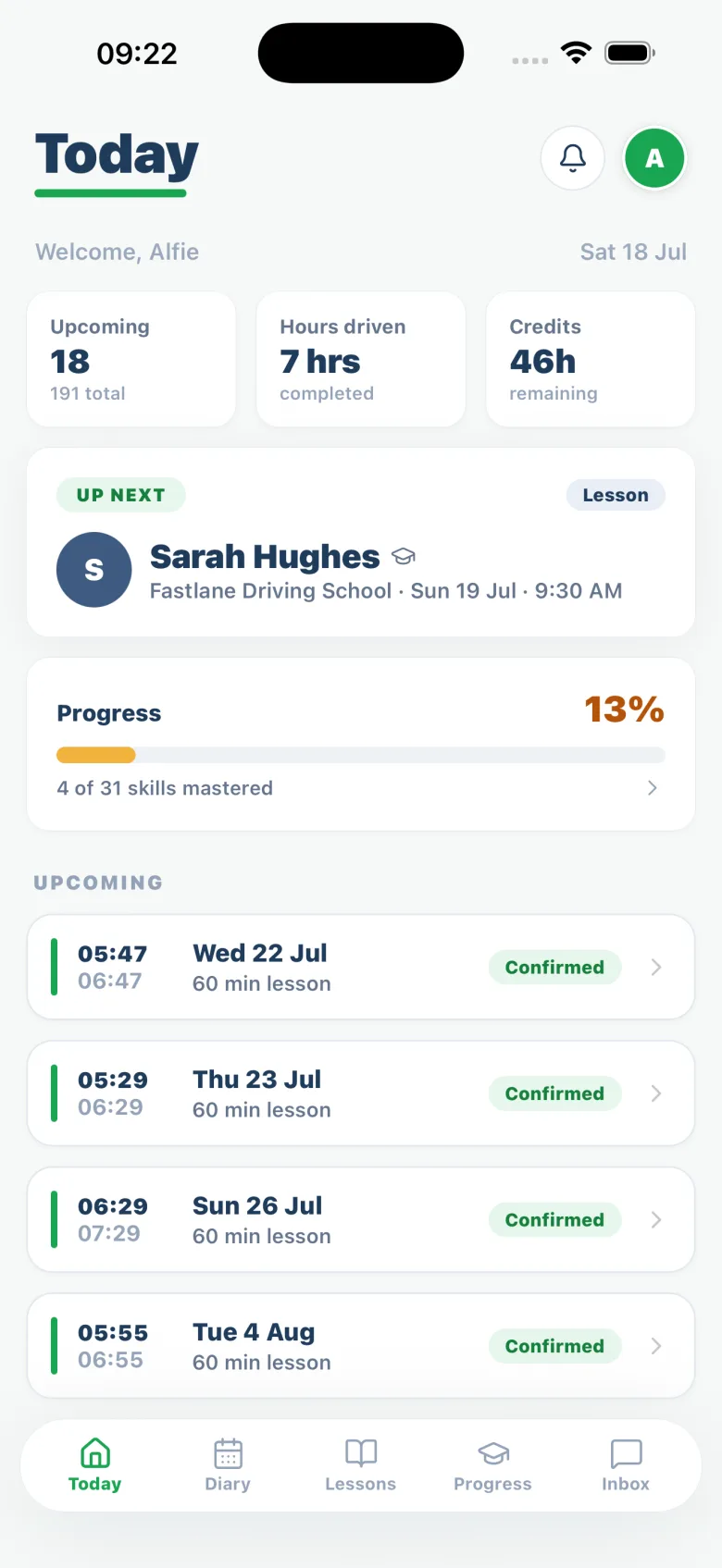
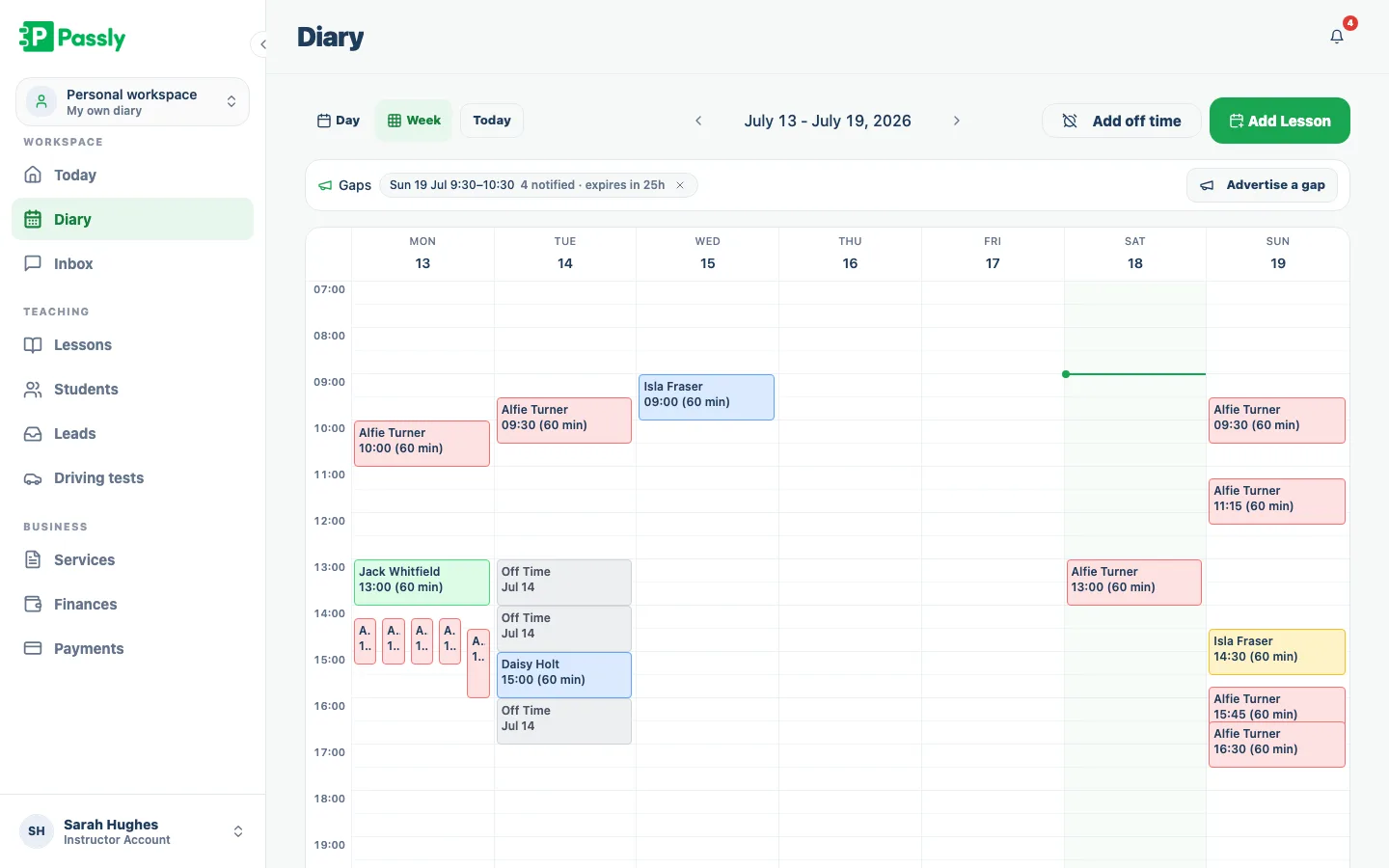
When a pupil claims the gap, the lesson is booked and confirmed in their app and lands in your diary, paid the same way as any other lesson, from prepaid credits or their usual arrangement. You're notified of the claim, and the diary shows live adverts with how many pupils were told and when the offer expires.
- Claimed gap becomes a confirmed lesson in both diaries
- Credits and payment tracking work exactly as normal
- Diary banner shows live adverts, pupils notified and expiry
- Withdraw an advert at any time before it's claimed
Set it to match how you work
Some instructors want every cancellation offered out; some want to decide case by case; some prefer to keep the odd gap for a coffee. Passly's gap setting is yours: prompt me each time, advertise automatically, or never. If nobody claims before the cut-off, the advert expires on its own and the slot simply stays free.
- Prompt, always or never: you choose
- Unclaimed adverts expire quietly
- Open gaps flagged in the diary until they're claimed or expire
- Advertise gaps from the web diary today, with the mobile app next
Questions & answers
How does lesson gap filling work?
When a slot opens up, usually because a pupil cancels, you advertise it in a couple of taps. Your active pupils get a free push notification in the Passly app, the gap shows as a claimable card on their Today screen, and the first pupil to claim books the slot. The confirmed lesson lands straight in your diary.
Which pupils get told about a gap?
All of your active pupils are notified, first come, first served. Each pupil receives at most three gap notifications a day, so busy weeks never turn into notification spam. Targeting a gap at specific pupils is something we're looking at for a future release.
Do I have to advertise every cancellation?
No. The gap setting is per instructor: Passly can prompt you after each cancellation, advertise gaps automatically every time, or never suggest it at all. You can also advertise any gap by hand from the diary, and withdraw a live advert at any time before it's claimed.
What happens if nobody claims the gap?
The advert expires on its own, either when the slot starts or at an earlier cut-off you set. The slot simply stays free in your diary, and no pupil sees a stale offer for a lesson that's already passed.
How does the pupil pay for a claimed gap?
Exactly like any other lesson. If they have prepaid lesson credits, the claim can draw one down; otherwise it follows their usual payment arrangement, and the lesson shows in your income records like every other booking. A gap lesson is a normal lesson at your normal price: Passly doesn't ask you to discount it.
Do gap notifications cost anything?
No. Gap alerts go out as push notifications through the Passly app, included in your subscription like every other Passly notification. There are no per-text fees.
Can I advertise gaps from my phone?
Pupils already receive and claim gaps in the Passly app on their phones. As an instructor you advertise gaps from the Passly web diary today (which works in your phone's browser), and advertising from the instructor mobile app is coming in the next app update.
Explore more features
An online booking system built for driving instructors
Let pupils book from your real availability, embed a booking widget on your site and confirm every lesson by email.
Learn moreThe driving instructor diary that plans your week for you
A driving instructor diary with working hours, recurring lessons and a calendar feed you subscribe to on your phone.
Learn moreDriving instructor pupil communication, all in one place
In-app pupil messaging plus automatic confirmations, reminders and payment nudges by email, in-app and push, no more 9pm texts.
Learn more