

Lesson calendar
The driving instructor diary that plans your week for you
Swap the wall planner and the memory tricks for a proper lesson calendar that knows your working hours, repeats your regular slots and refuses to double-book you. Your whole week, on one screen, wherever you are.
At a glance
Everything a busy instructor's diary needs
The scheduling tools ADIs actually use every day, built for a life spent in the passenger seat rather than at a desk.
Week and day views
See your whole teaching week at a glance, then drop into a single day to check the gaps. Lessons are colour-coded by pupil and lesson type so you can read the diary in a second at the lights.
Working hours and availability
Set the days and hours you actually teach. Passly only ever offers those windows for booking, so nobody grabs your Sunday lie-in or your school-run break.
Recurring lessons
Choose a weekly or fortnightly repeat and a fixed number of lessons. Cancel one occurrence, the future lessons or the whole series when plans change.
Conflict-free scheduling
The diary knows what is already booked and blocks clashes automatically. No more two learners turning up for the same slot on the same corner.
Lesson types and services
Define your services, standard hour, two-hour block, motorway session, test-day cover, with their own length and price, then drop them straight into the diary.
Calendar feed for your phone
Subscribe to your Passly diary from the calendar app on your phone with a private feed link. New and moved lessons appear alongside your personal life automatically.
How the diary works
Set your hours once, and the diary guards them
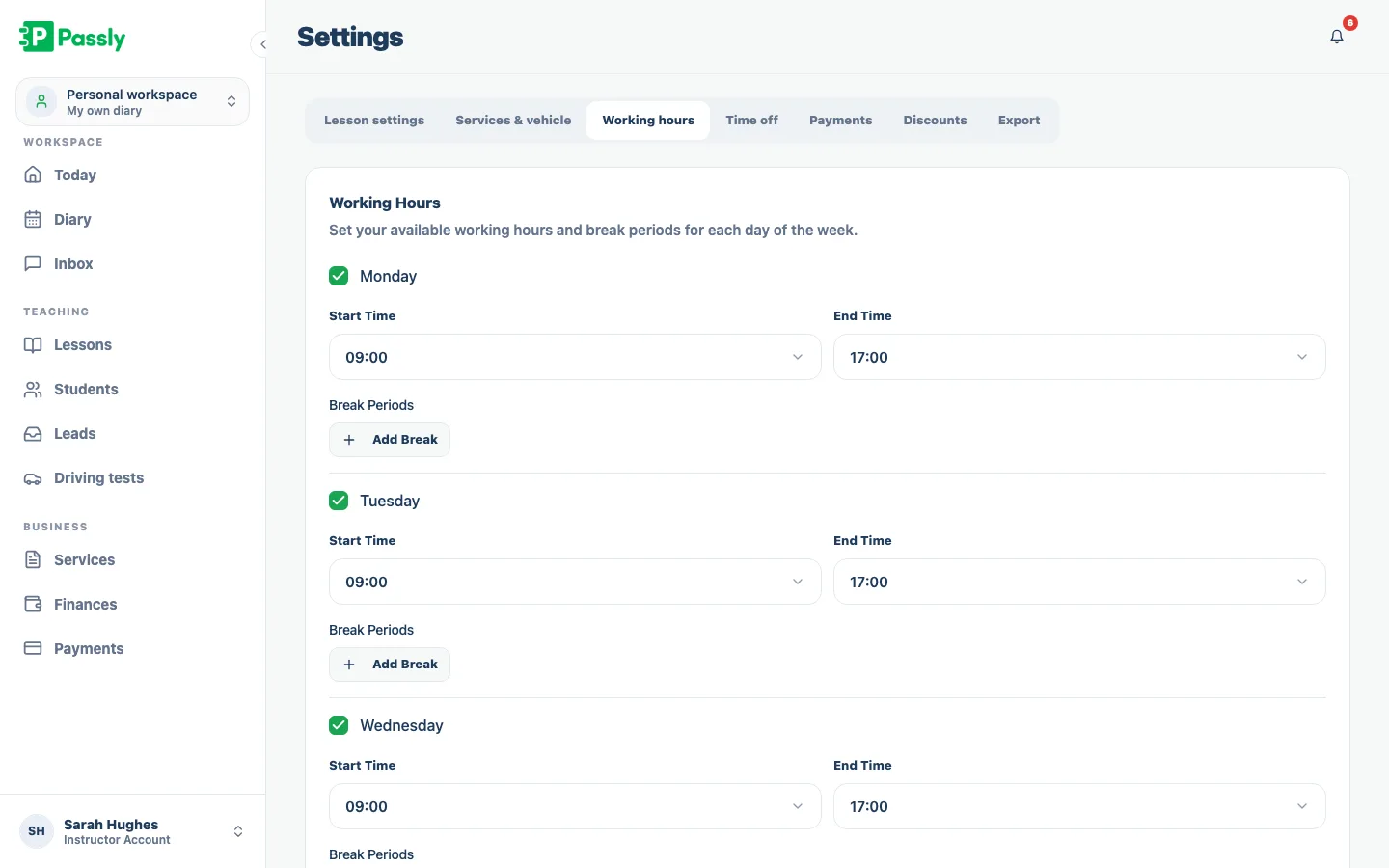
Set different working hours for each day, then add off-time for breaks, appointments or holidays. Passly treats everything outside those windows as unavailable and uses the same rules for online booking, so pupils only see slots you genuinely want to teach.
- Different working hours for every day of the week
- Block breaks, holidays and personal appointments as off-time
- Availability feeds straight into online booking
- No slot is ever offered outside the hours you teach
Recurring slots for the pupils you see every week
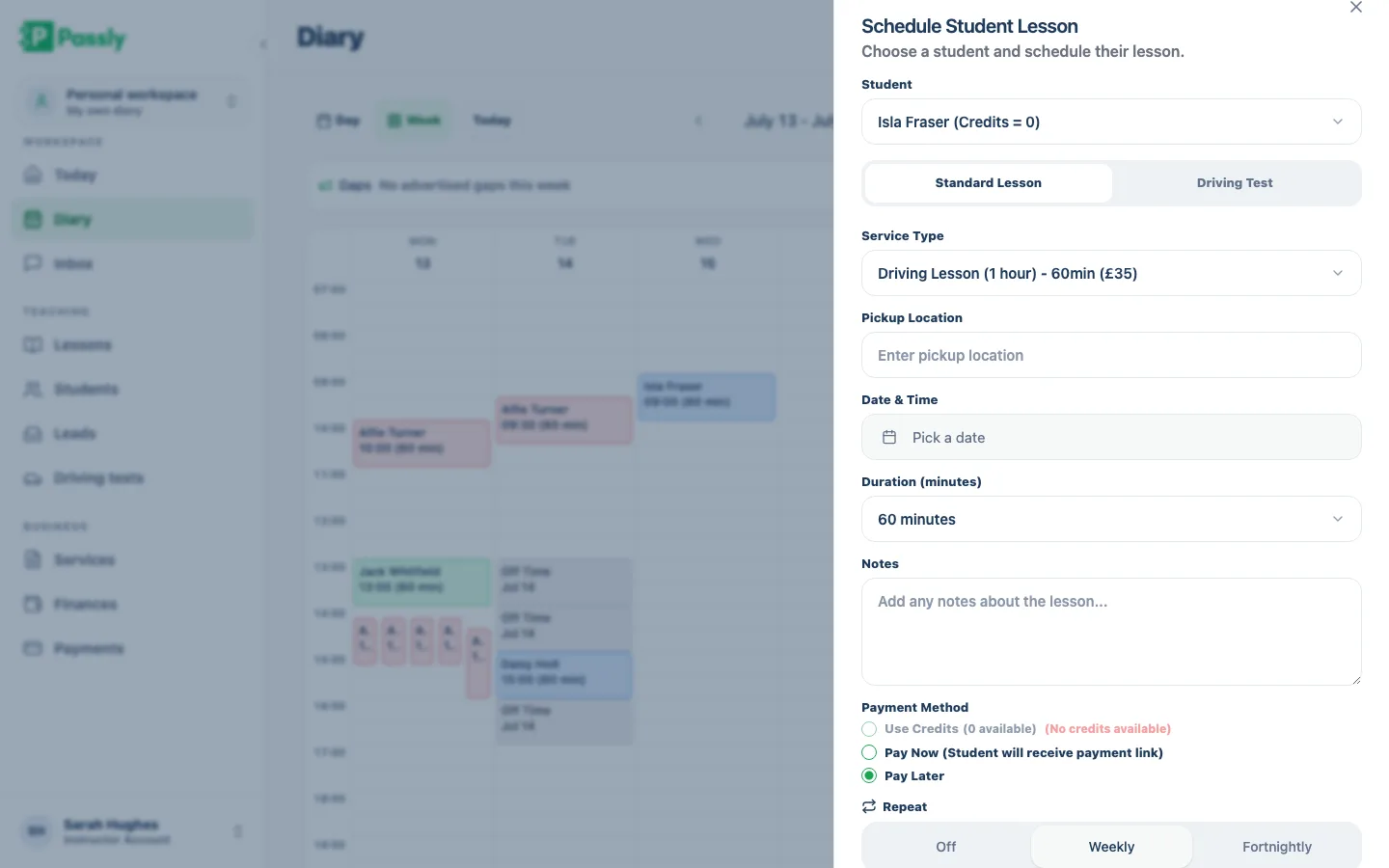
Choose a weekly or fortnightly repeat, set how many lessons to add, and Passly creates the available dates as one series. Clashing or blocked dates are skipped instead of double-booked. From any lesson in the series, you can cancel that lesson, the remaining future lessons or the whole series.
- Book weekly or fortnightly lessons in one action
- Choose a fixed number of lessons for the series
- Clashing and blocked dates are safely skipped
- Cancel one lesson, future lessons or the whole series
Lesson types that carry their own length and price
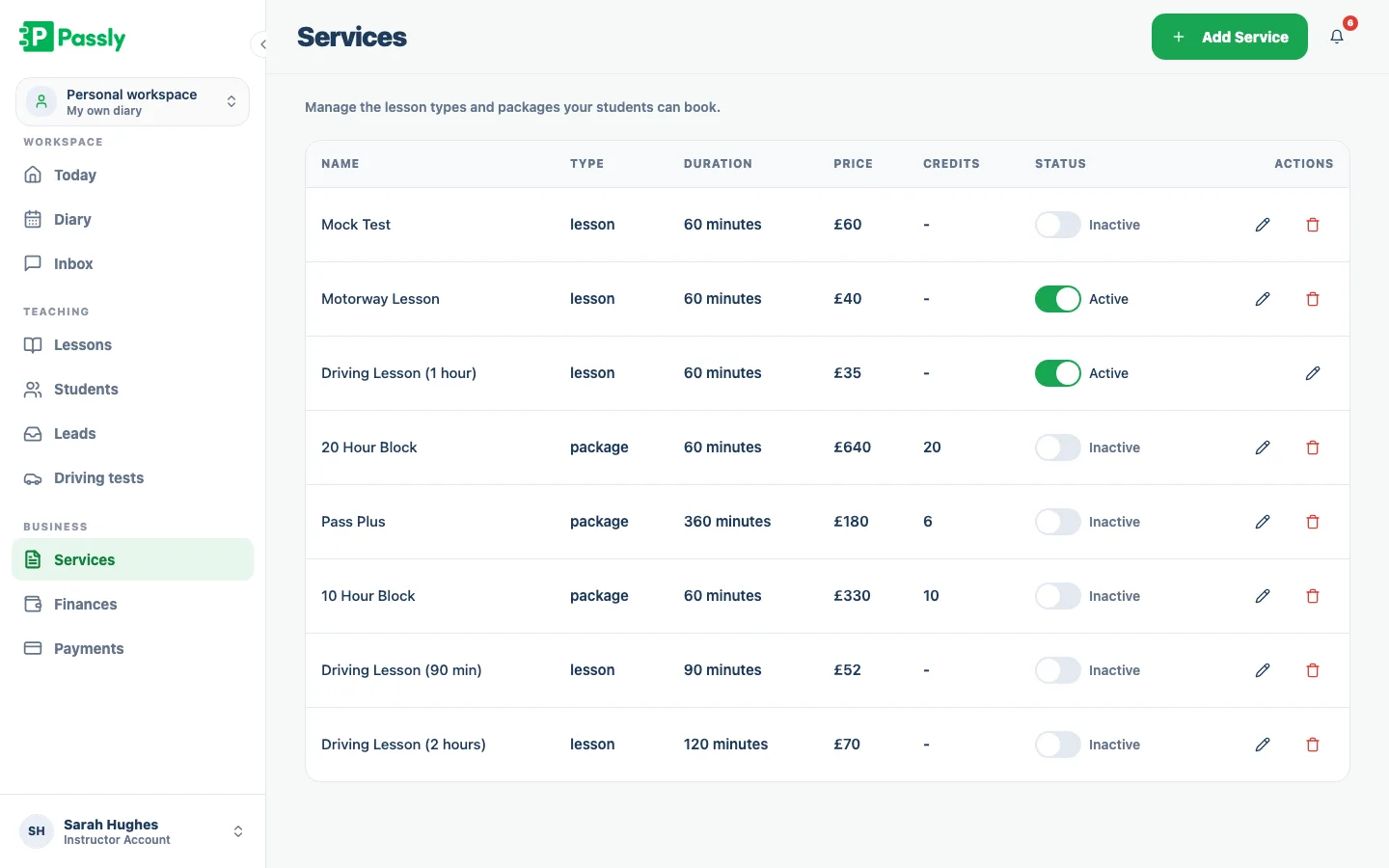
Create services for standard lessons, longer blocks, motorway sessions or test-day cover, each with its own duration and price. The same services power your diary and online booking, so every slot has the right length and cost from the start.
- Define standard hours, blocks, motorway and test-day services
- Each service carries its own duration and price
- Lessons colour-coded by type across the week view
- The same services power your online booking page
One diary, on every screen, wherever you park
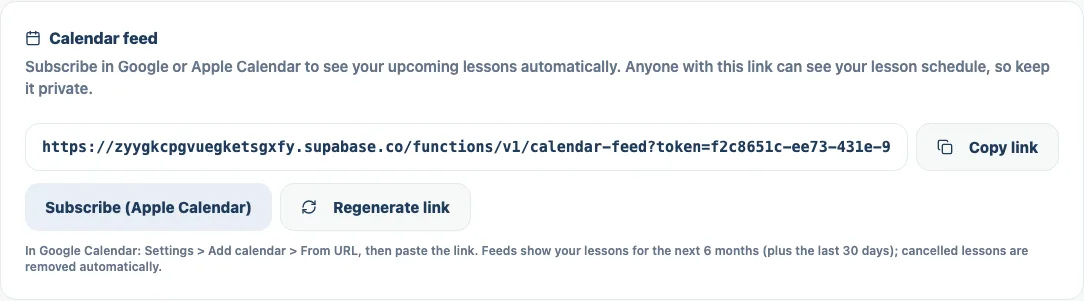
Open the same Passly diary in the browser on your phone, tablet or laptop. If you prefer your teaching and personal plans together, subscribe to your private calendar feed and lesson changes will appear automatically in your usual calendar app.
- Responsive web app, no download, works on any device
- Private ICS feed you subscribe to from your phone's calendar
- Booked and moved lessons flow through automatically
- Works hand in hand with online booking and reminders
Questions & answers
Can I sync my Passly diary with the calendar on my phone?
Yes. Passly gives every instructor a private calendar feed link. Add it once to the calendar app on your phone or laptop and your lessons show up alongside your personal events. When a lesson is booked, moved or cancelled in Passly, the feed updates automatically, it is a live subscription, not a one-off copy.
How do I set the hours I'm available to teach?
You set working hours for each day of the week in your settings, a later start on Mondays, an early finish on Fridays, whatever fits your life. Passly treats anything outside those hours as unavailable, and you can block one-off breaks, holidays and appointments as off-time so nothing gets booked over them.
Can I book a weekly lesson that repeats automatically?
Yes. Choose a weekly or fortnightly repeat and how many lessons to add. Passly creates each available date and skips any blocked or conflicting slot. You can later cancel one lesson, the future lessons or the whole series.
Will the calendar stop me double-booking two pupils?
It will. The diary knows what is already in it and blocks conflicting bookings, whether you are adding a lesson yourself or a pupil is booking online from your availability. Two learners can't end up holding the same slot.
Does the lesson calendar work on my phone?
Yes. Passly is a responsive web app, so the diary works in the browser on your phone, tablet and laptop with nothing to install. The version you glance at on the kerb between lessons is the same one you tidy up at home in the evening.
Can pupils book into my diary themselves?
They can. Passly's online booking lets pupils choose from your real availability, and every booking drops straight into the same diary, conflict-checked, so it can never clash with a lesson you already have. You stay in control of the hours and services on offer.
Can I set different lengths and prices for different lessons?
Yes. You define each lesson type as a service, a standard hour, a two-hour block, a motorway session, a test-day package, with its own duration and price. Those services fill the diary and power your online booking, so the slot length and cost are always right.
Explore more features
An online booking system built for driving instructors
Let pupils book from your real availability, embed a booking widget on your site and confirm every lesson by email.
Learn morePupil management software that keeps every learner in one place
A proper pupil CRM: records, lesson history, notes, per-pupil pricing, a leads inbox and CSV exports.
Learn moreA pupil portal your learners will actually use.
A web-based portal where pupils see lessons, book, track progress, view balances and message you.
Learn more