

Progress tracking
Pupil progress tracking that does more than tick boxes.
Mark every skill after every lesson, watch each learner move through the syllabus, and log their driving test from booking to result. Then share it all back through the pupil's own Driver's Record, so you both know exactly what's next.
From first lesson to full licence
Everything you need to know where a pupil really stands
Progress tracking sits at the heart of Passly, a proper record of every learner's journey, not a note scribbled on the back of a worksheet.
Skill-by-skill marking
Grade every competency your pupils work on, from moving off to independent driving. One tap after a lesson keeps the whole record current.
Five clear levels
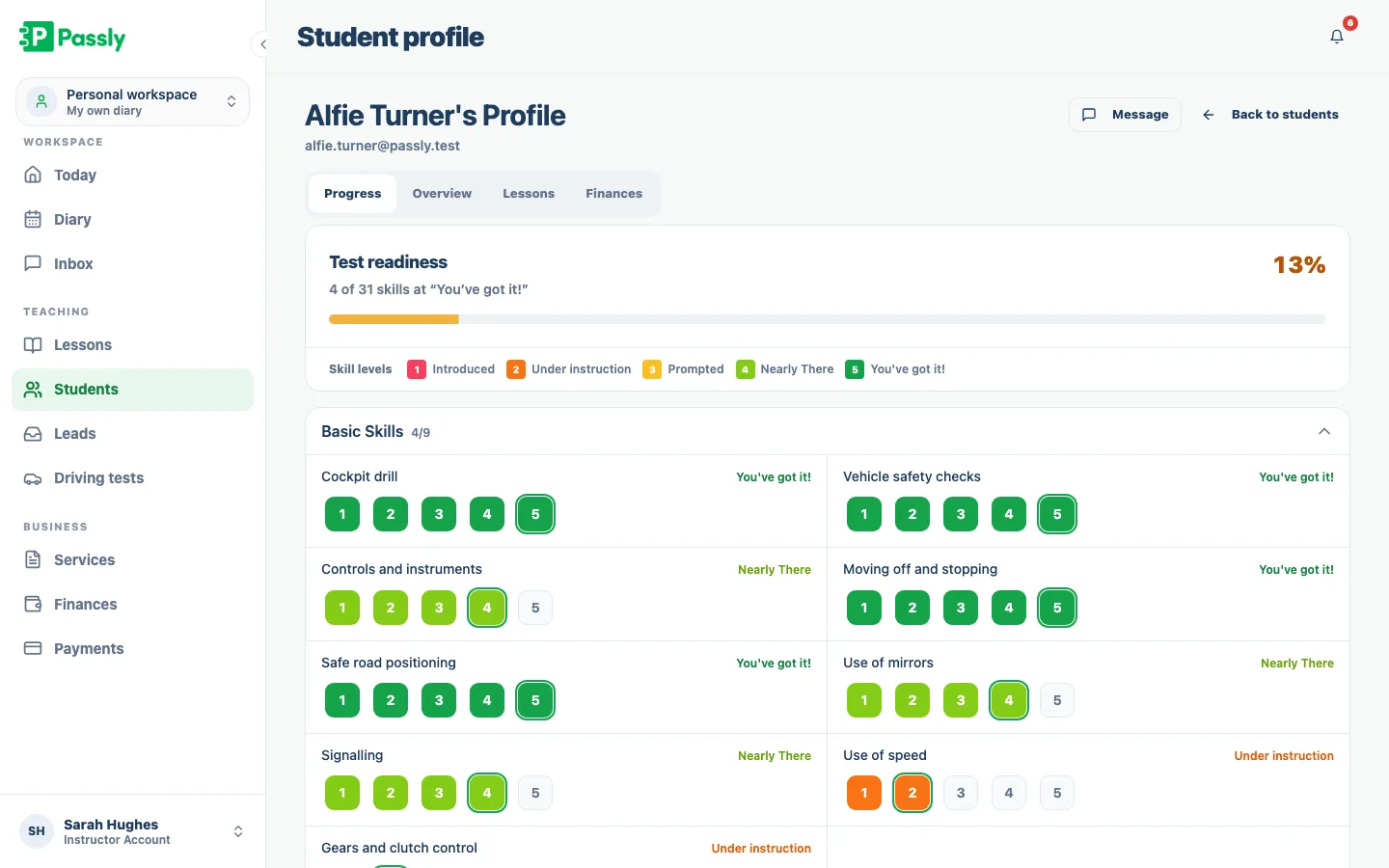
Every skill moves from Introduced to Under instruction, Prompted, Nearly There and finally "You've got it!", a language pupils understand at a glance.
Grouped by the syllabus
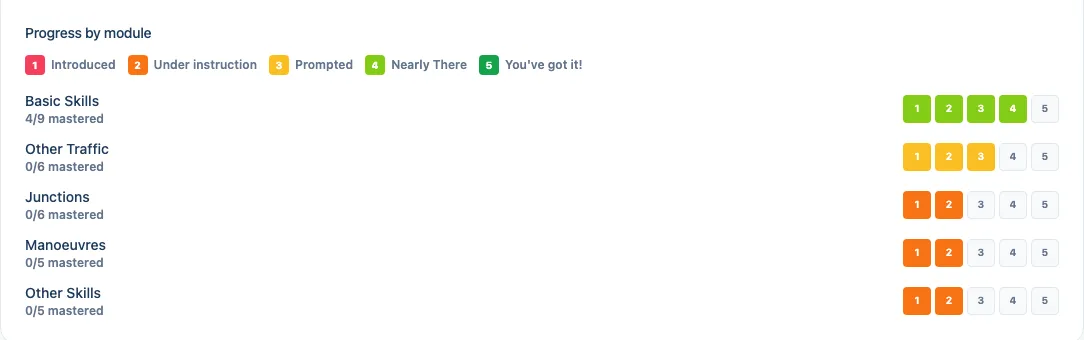
Skills are organised into Basic Skills, Other Traffic, Junctions, Manoeuvres and Other Skills, so progress reads the way you actually teach.
Driving test tracking
Log each practical test with its date, time and test centre, then record the result, pending, pass or fail, when the day comes.
Shared with the pupil
Every mark you make flows into the learner's own Driver's Record in their portal, so they see progress the moment you save it.
Notes that stick
Add lesson notes and test notes against a pupil so the context is there next time, no relying on memory between a full week of learners.
How progress tracking works in Passly
Mark every skill, lesson by lesson
After a lesson, mark each skill against five plain-English levels from Introduced to You've got it. Every update is tied to the pupil and builds a lesson-by-lesson history, giving you a reliable record for planning and progress conversations.
- Grade each skill in one tap after a lesson
- Five levels from "Introduced" to "You've got it!"
- A running, lesson-by-lesson history per pupil
- Plain-English levels pupils and parents understand
See the whole syllabus fall into place
Passly groups skills into Basic Skills, Other Traffic, Junctions, Manoeuvres and Other Skills. Group progress shows where a learner is confident and where the next lesson should focus, while the overall figure is based on skills they have fully mastered.
- Progress broken out by skill group, not one blunt number
- Overall completion based on fully mastered skills
- Spot exactly which areas need the next lesson
- Ground test-readiness chats in real evidence
Track the driving test from booking to result
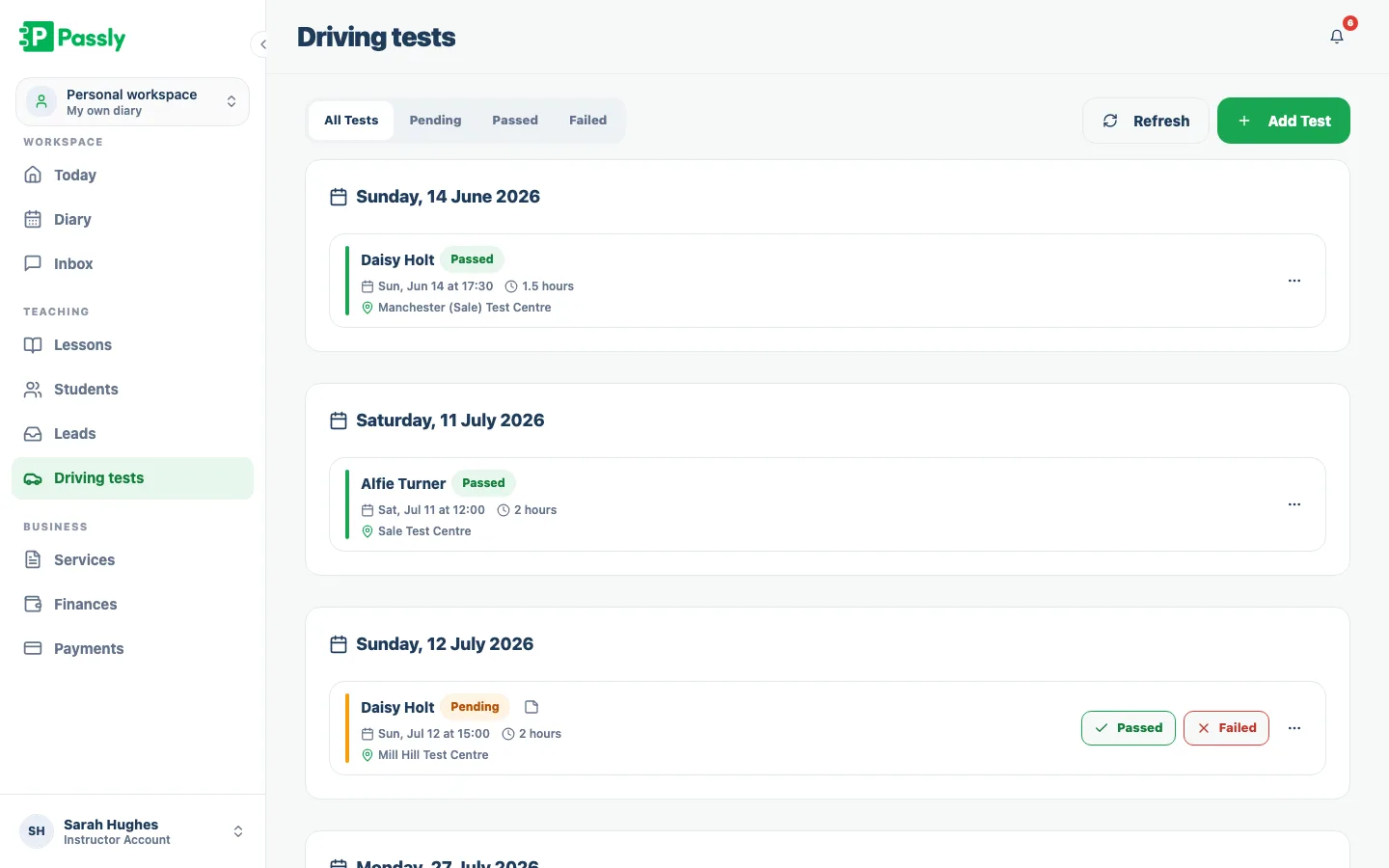
Record each practical test with its date, time and centre, then log the result and any useful notes. The driving-test view can be filtered by pending, passed or failed, and the same test details appear in the pupil's portal.
- Record date, time and test centre for every test
- Filter tests by pending, passed or failed
- Log the result and add examiner notes for re-sits
- Test details shared into the pupil's portal
Give every pupil their own live Driver's Record
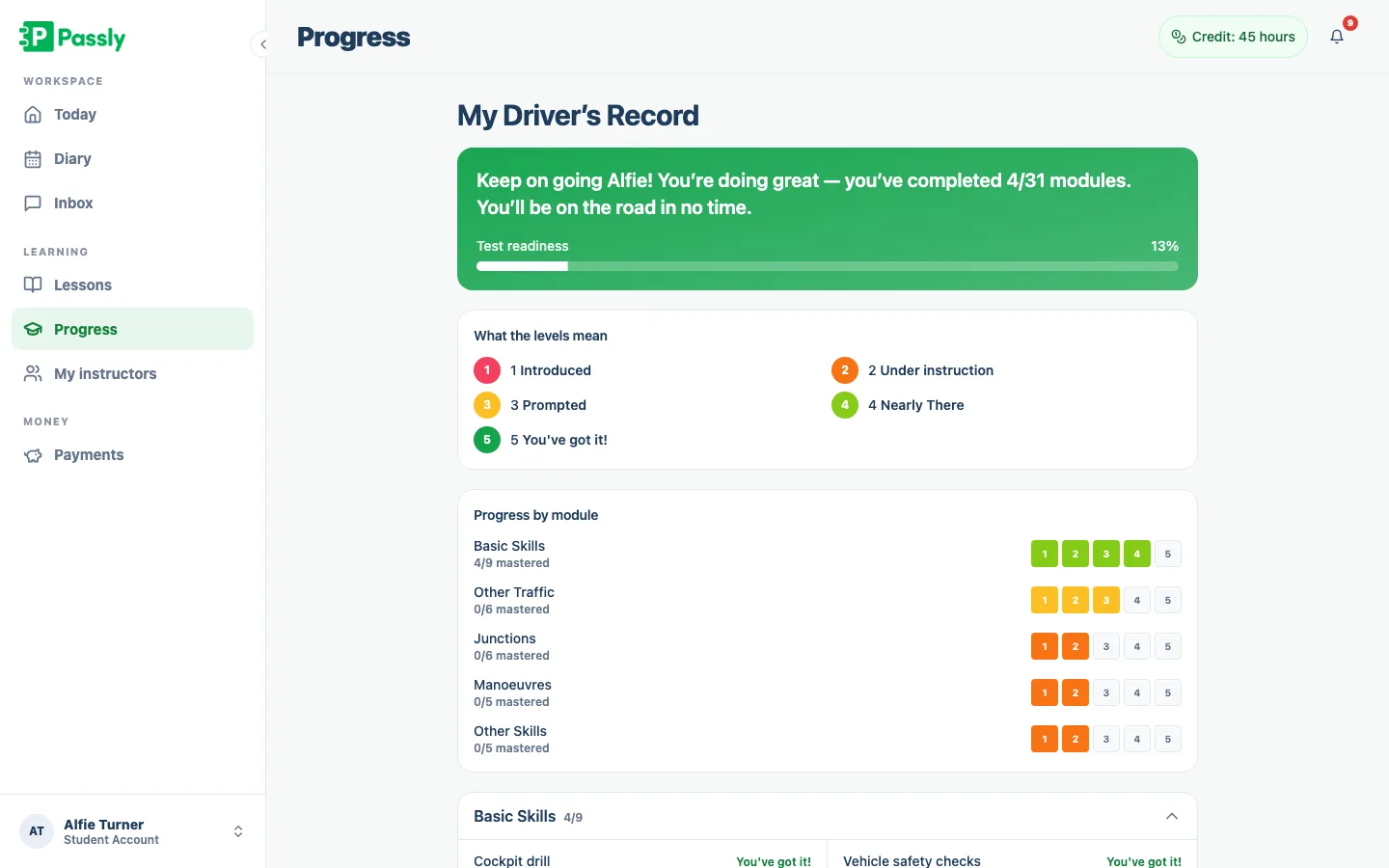
Each pupil gets a read-only Driver's Record in their portal that mirrors the skills you mark. It updates when you save progress, helping learners understand what they have mastered and what still needs practice without creating a second report for you to maintain.
- Pupils see a live, read-only mirror of your marking
- Updates instantly whenever you save a mark
- Keeps learners motivated and practising the right skills
- See the full pupil portal feature for what else learners get
Questions & answers
How does progress tracking work in Passly?
After each lesson you open the pupil and mark the skills you covered. Every skill grades on a five-level scale from "Introduced" to "You've got it!", and marks are grouped by syllabus area. The result is a live, lesson-by-lesson record of where each learner stands, which you can share back to them.
What driving skills can I track?
You can grade every competency you teach, organised into groups: Basic Skills, Other Traffic, Junctions, Manoeuvres and Other Skills. Each skill moves through five levels, so the record shows not just what you've covered but how confidently a pupil can do it on their own.
Can pupils see their own progress?
Yes. Everything you mark flows into the learner's Driver's Record inside their pupil portal, a read-only mirror of your marking grid. Pupils open it in any browser and see their progress by skill group update the instant you save a mark, which keeps them motivated between lessons.
Can I track driving tests as well as lessons?
Yes. Log each practical test with its date, time and test centre, then record the result as pending, pass or fail. You can filter tests by status, add notes for a re-sit, and the test details are shared into the pupil's portal so learners see the same plan you do.
How is overall progress calculated?
A learner's overall progress reflects the skills they have fully mastered, the ones marked at the top "You've got it!" level, against the full skill catalogue. That means the headline figure signals genuine, test-ready ability rather than simply how many topics you've touched on at least once.
Can I add notes about a pupil or a test?
Yes. You can add notes against a pupil's record and against an individual driving test, for example, what an examiner flagged on a first attempt. The context is there next time you open them, so you're never relying on memory across a full week of learners.
Does progress tracking cost extra?
No. Progress tracking is a core part of Passly and is included in your subscription, along with the pupil portal that shares each learner's Driver's Record. There is no separate add-on and no per-pupil charge for keeping and sharing progress.
Explore more features
A pupil portal your learners will actually use.
A web-based portal where pupils see lessons, book, track progress, view balances and message you.
Learn morePupil management software that keeps every learner in one place
A proper pupil CRM: records, lesson history, notes, per-pupil pricing, a leads inbox and CSV exports.
Learn moreDriving instructor pupil communication, all in one place
In-app pupil messaging plus automatic confirmations, reminders and payment nudges by email, in-app and push, no more 9pm texts.
Learn more