

Pupil portal
A pupil portal your learners will actually use.
Give every learner one place to see their next lesson, book from your real availability, follow their own progress and check what they owe. It runs in any browser, so there is nothing for them to download and nothing extra for you to explain.
Everything in one login
The learner app that answers the questions pupils text you at 9pm
Every pupil gets their own secure login to a portal that mirrors the parts of Passly they need, and none of the parts they don't.
A dashboard that greets them
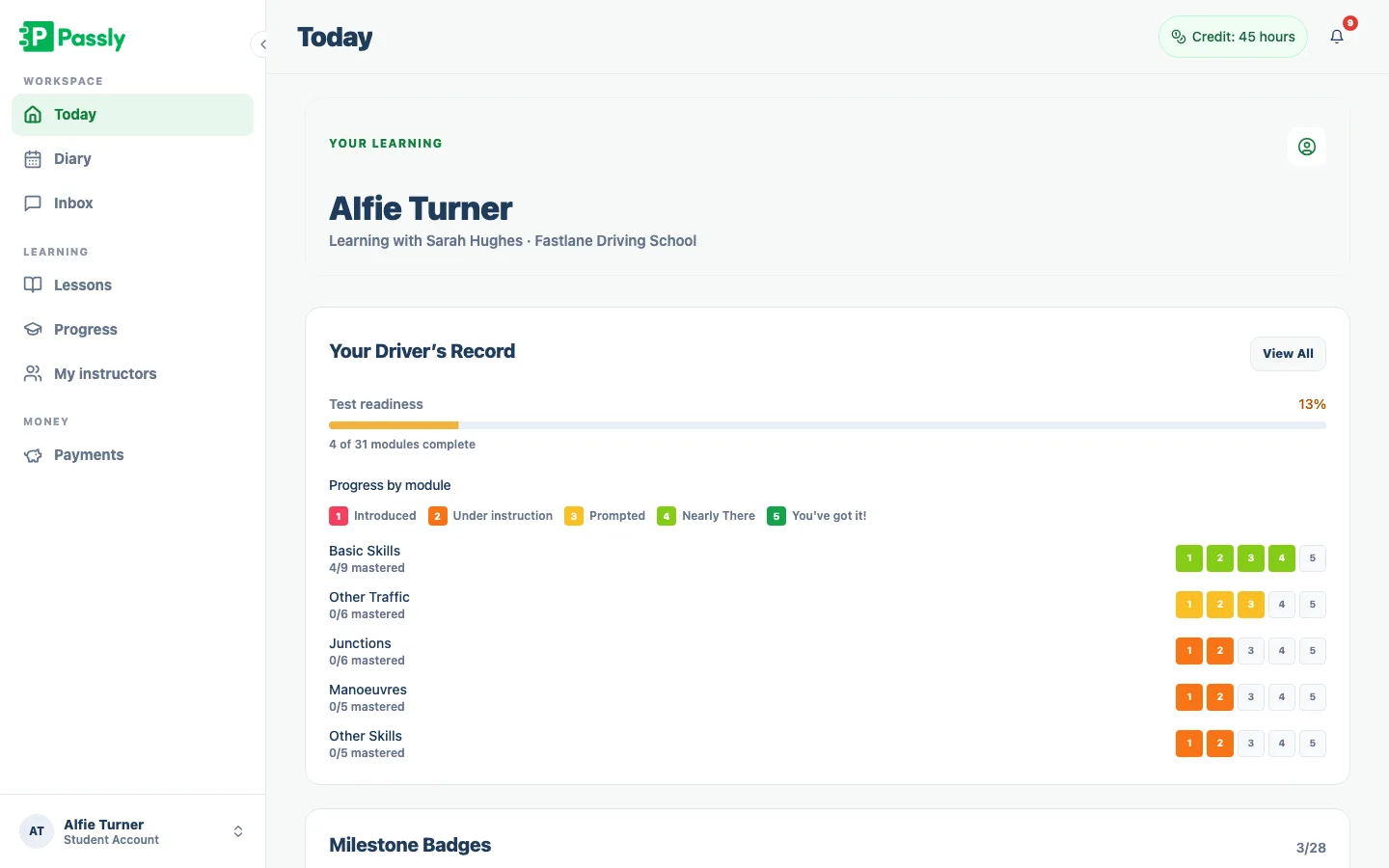
Pupils land on a home screen showing hours logged, upcoming lessons, syllabus progress and total paid. The important stuff is answered before they ask.
Upcoming lessons and history
Learners see every booked lesson and everything they have already had. No more "what time am I on Tuesday?" messages.
Book from your real availability
Pupils book straight from the slots you have opened up. They only ever pick times you are genuinely free, so your diary stays yours.
Their own Driver's Record
Each learner sees a read-only mirror of your marking grid, with progress by skill group. It keeps them motivated between lessons.
Balance and credits at a glance
Learners can check what they have paid, what they owe and how many prepaid lesson credits are left, without asking you to add it up.
Message you in-app
Questions, reschedules and test-day nerves all land in one in-app thread instead of scattered across texts, email and social media.
What your pupils get, and what it saves you
One home screen that ends the admin texts
The pupil dashboard shows total lesson hours, upcoming bookings, syllabus progress and payments using the information already in Passly. Learners can check routine details themselves, giving them more ownership and reducing the admin questions sent to their instructor.
- Total hours, upcoming lessons and syllabus progress up top
- See total paid to date without a single message
- Updates the instant you mark a lesson or take a payment
- Nothing to install, it opens in any phone browser
Let pupils book their own lessons, on your terms
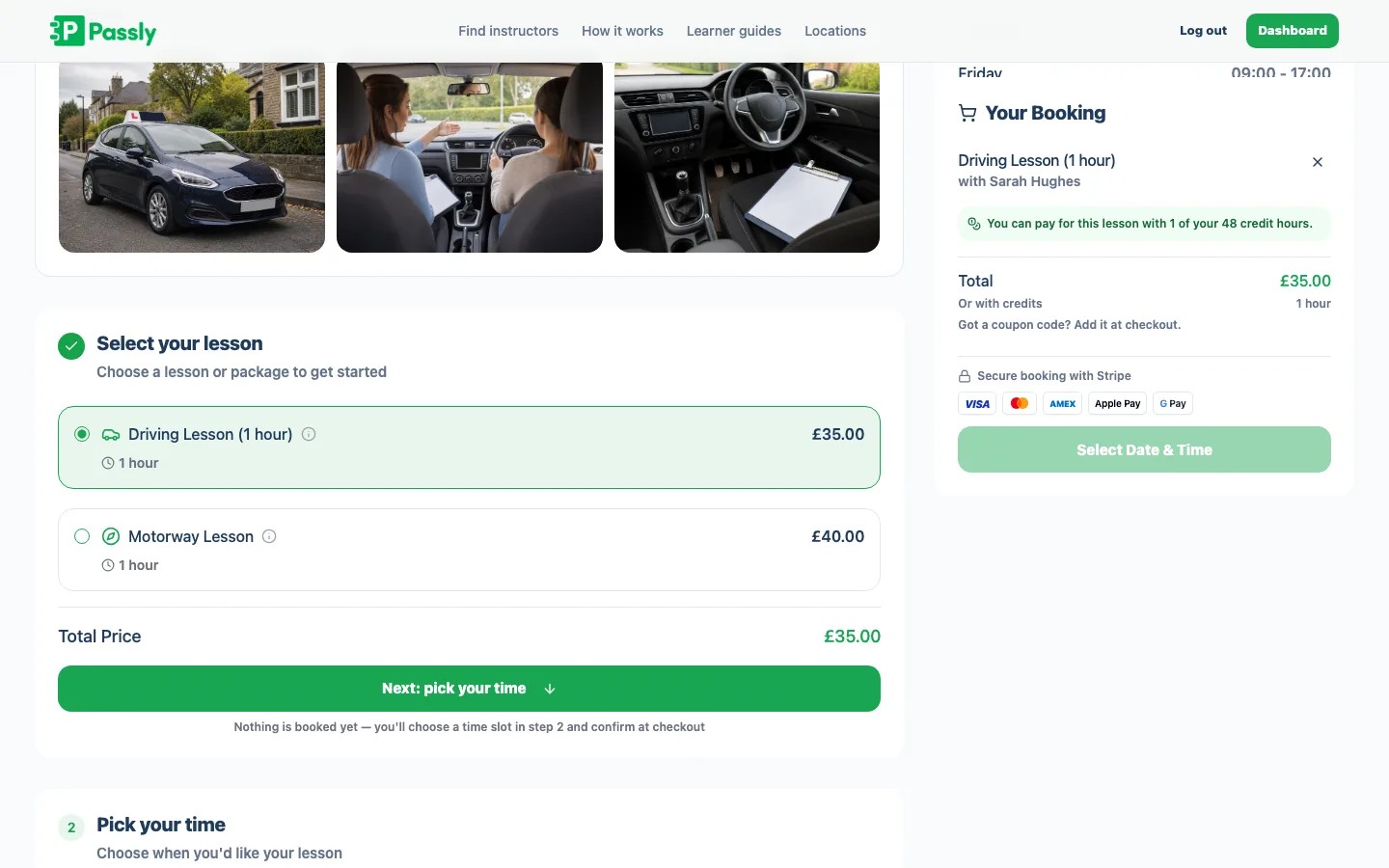
Pupils can book from the availability you have opened, see upcoming lessons and review their full lesson history. The portal uses the same availability rules as public online booking, so learner requests cannot take a slot you have already booked or blocked.
- Booking limited to the availability you set
- Rebook a weekly slot in a couple of taps
- Full lesson history, always to hand
- Works alongside your public online booking page
Progress they can see, and a test they can plan for
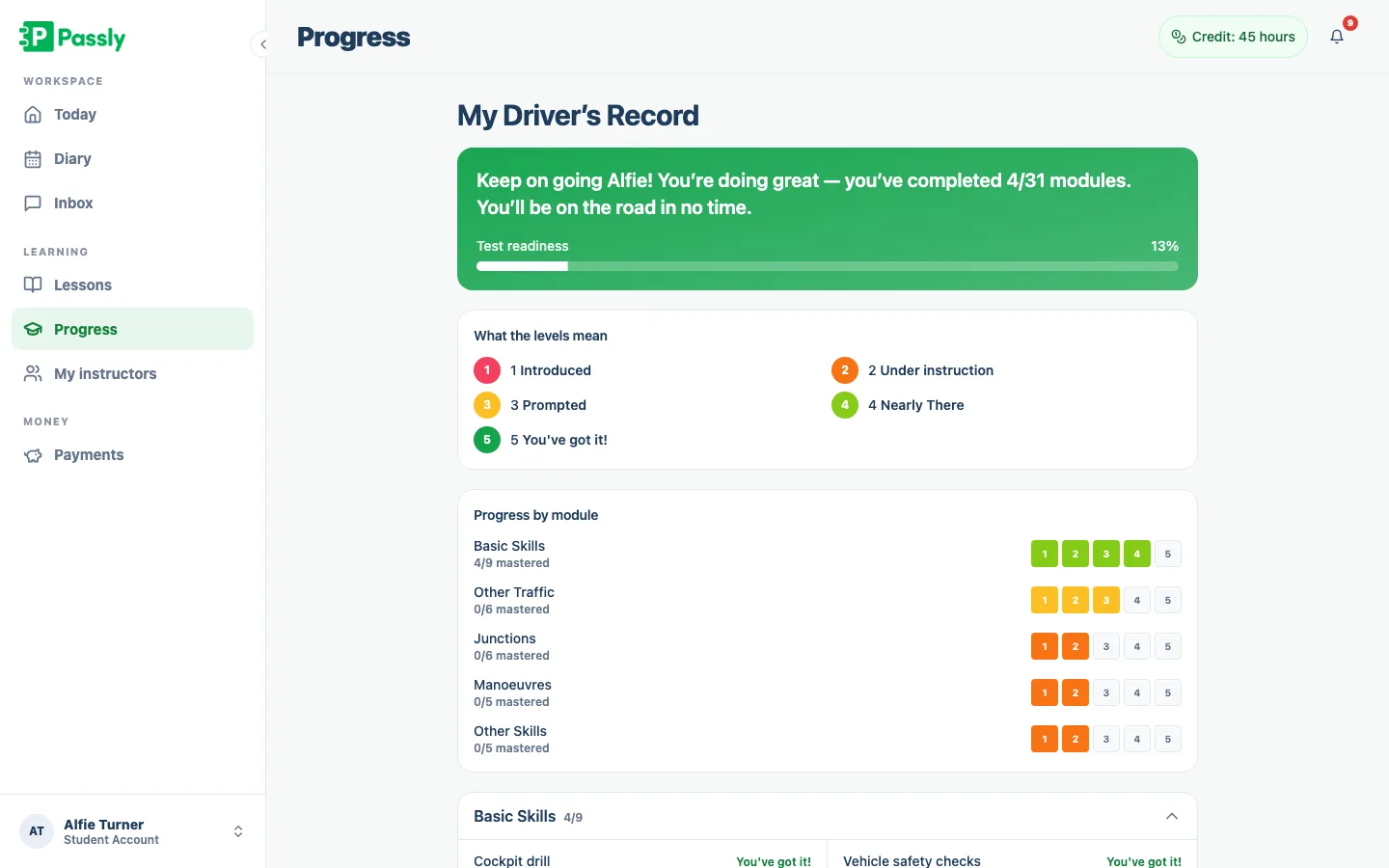
Each learner sees a read-only Driver's Record grouped by skill area, using the progress you mark after lessons. Practical test details also appear in the portal, including the date, centre and result, so both sides work from the same plan.
- Their Driver's Record, grouped by Basic Skills, Junctions, Manoeuvres and more
- Five clear levels from "Introduced" to "You've got it!"
- Test date and centre visible ahead of the day
- See more on the progress tracking feature page
Balances, credits and one calm inbox
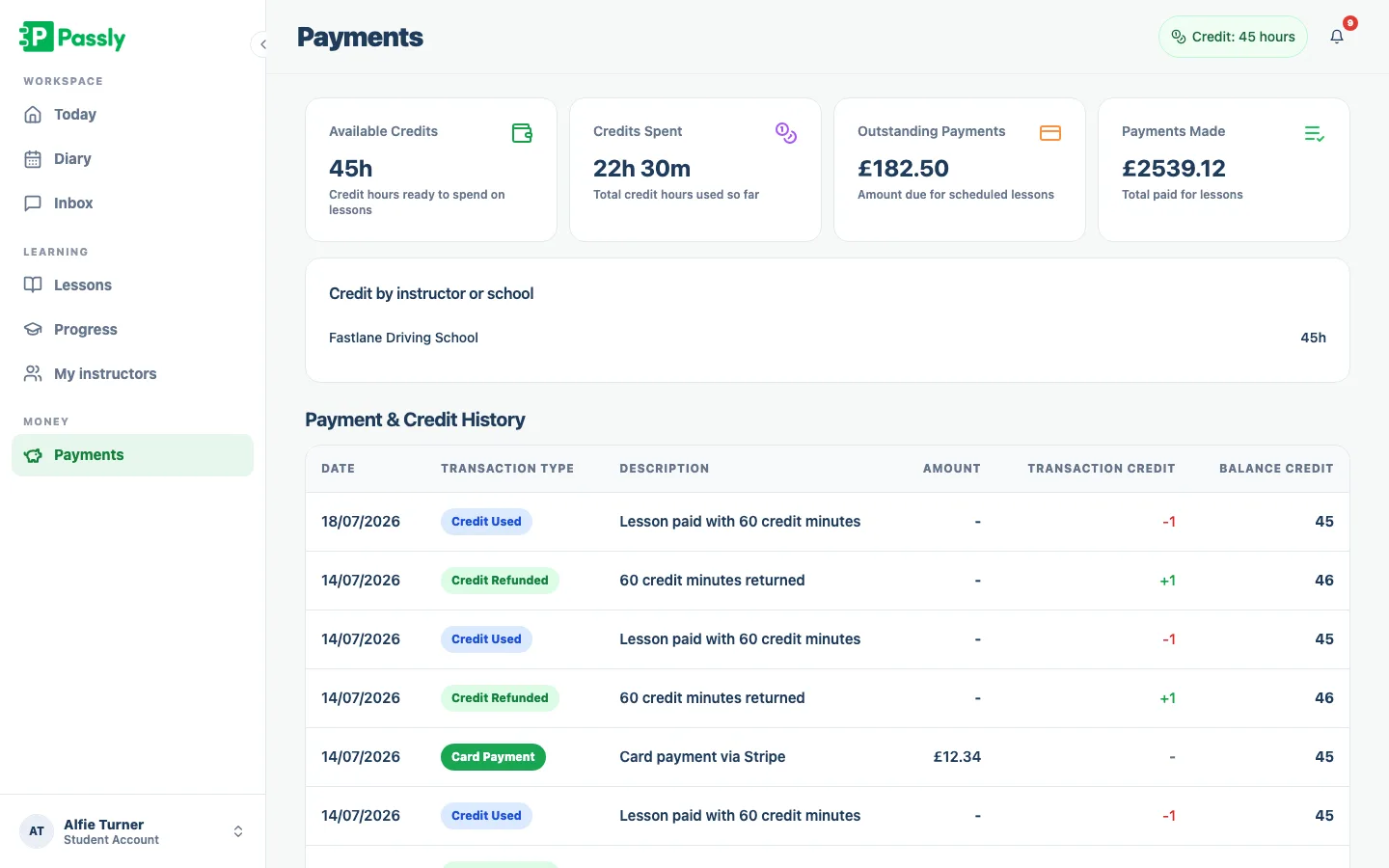
Learners can see what they have paid, what is outstanding and how many prepaid credits remain. When they need help, one Passly message thread keeps the conversation beside their lessons and balance, while email notifications alert them to bookings, changes and new messages.
- Amount paid, amount owed and credits remaining, all in one view
- Payment records that mirror your own, tracking, not card processing
- One in-app message thread per pupil
- Email notifications keep learners in the loop
Questions & answers
Do pupils need to download an app?
No. The pupil portal is a web app that runs in any phone, tablet or laptop browser. There is nothing to install from the App Store or Google Play, learners just open a link and sign in, so getting a new pupil started takes seconds.
Can pupils book their own lessons through the portal?
Yes. Learners book straight from the availability you have opened up, so they can only ever pick slots when you are genuinely free. They can also see their upcoming lessons and full lesson history in the same place.
Can my pupils see their own progress?
Yes. Each learner has their own Driver's Record inside the portal, a read-only mirror of the marking grid you complete after lessons. It shows their progress across every skill group and the level they have reached, from first introduction to fully confident.
Can pupils see how much they owe me?
Yes. The portal shows each learner what they have paid, what is outstanding and how many prepaid lesson credits remain. It reflects the payment records you keep in Passly, Passly tracks and records payments rather than processing cards, so the figures always match your books.
Can pupils see other pupils' information?
No. Every learner has their own secure login and only ever sees their own lessons, progress, balance and messages. One pupil can never see another pupil's details, progress or payment history.
Is the pupil portal free for my learners?
Yes. The portal is included in your Passly subscription and pupils are never charged to use it. You pay one monthly instructor fee and every learner you teach gets their own login at no extra cost.
How do pupils get their login?
You invite a pupil by email from Passly and they set up their own secure password. From then on they sign in through any browser to reach their dashboard, lessons, progress and messages, no separate account for you to manage.
Explore more features
An online booking system built for driving instructors
Let pupils book from your real availability, embed a booking widget on your site and confirm every lesson by email.
Learn morePupil progress tracking that does more than tick boxes.
Mark every skill lesson by lesson, log driving tests, and share a live Driver's Record with each pupil.
Learn moreDriving instructor pupil communication, all in one place
In-app pupil messaging plus automatic confirmations, reminders and payment nudges by email, in-app and push, no more 9pm texts.
Learn more