

Online booking
An online booking system built for driving instructors
Stop being a 24-hour booking line. Let learners see when you're genuinely free and book their own lessons, from your website, your marketplace profile or a link you share, while you're teaching, sleeping or off the clock.
At a glance
Booking that runs while you're teaching
Everything you need to hand the diary admin over to your pupils without ever losing control of your week.
Booking from real availability
Pupils only ever see the slots you're actually free. Bookings pull straight from your working hours and existing lessons, so what they pick is always genuinely open.
Booking rules you set
Decide the services you offer, how long each runs and what it costs. Pupils book within those rules, so every request that lands already fits how you work.
Embeddable booking widget
Drop Passly's booking widget onto your own website or driving-school page. Learners book without leaving your site, and it lands in your diary the same as any other lesson.
Marketplace profile bookings
Your free public profile on the Passly marketplace lets nearby learners find you and book directly, a steady front door for new pupils.
Email confirmations
Every booking is confirmed by email to your pupil, with the date, time and lesson details. No 'did that go through?' texts at 10pm.
Straight into your diary
Online bookings drop into the same lesson calendar as everything else, conflict-checked, so your week stays in one place and can never double-book.
How pupils book with you
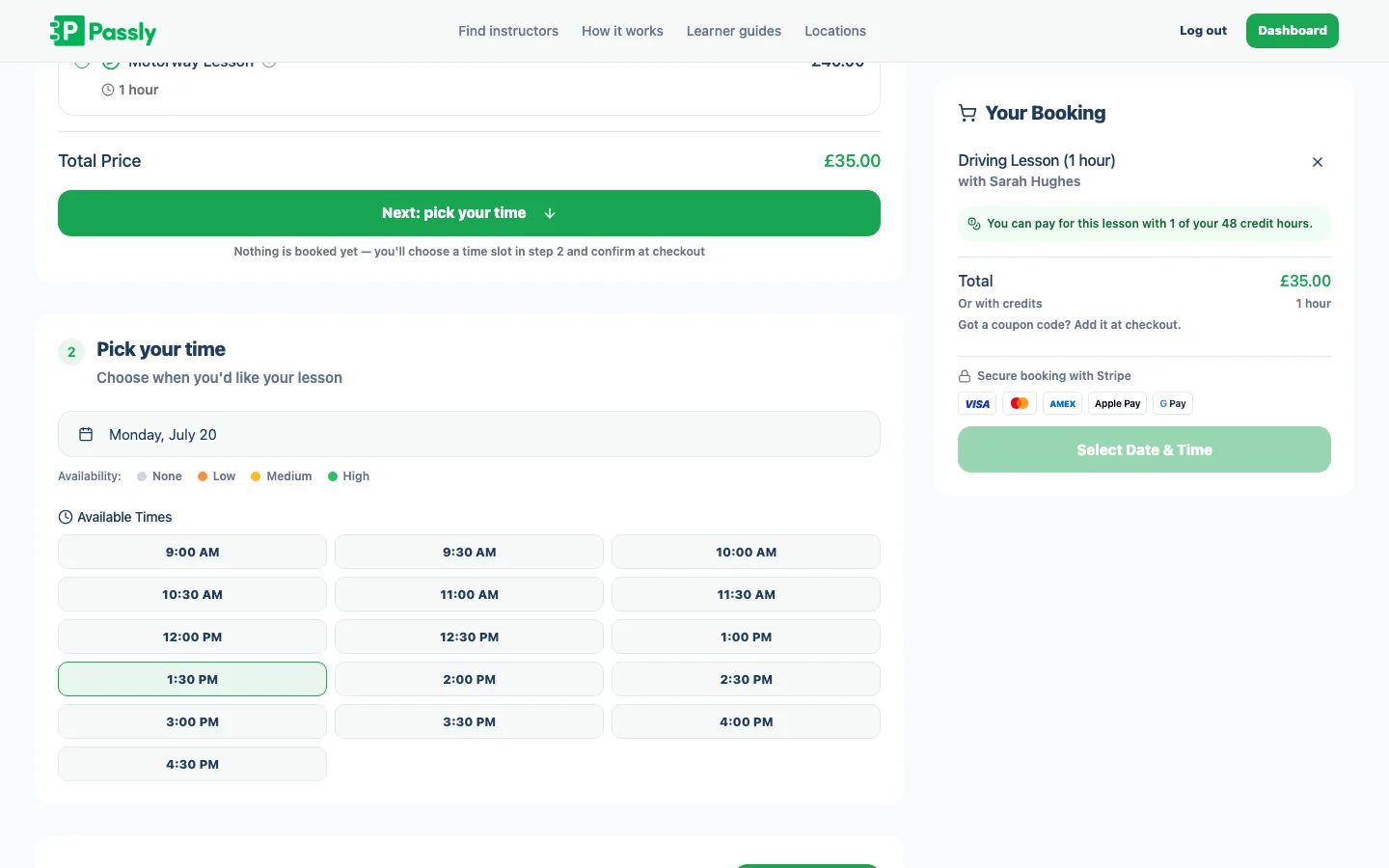
Pupils book from the slots you're actually free
Passly offers pupils the free slots inside your working hours and removes anything already booked or blocked. Every request is checked against your real diary before it is accepted, so there is no second availability calendar to maintain and no accidental double-booking.
- Availability comes straight from your working hours and diary
- Booked and blocked times vanish from the options instantly
- Nothing to keep in sync by hand
- Every booking is conflict-checked before it's confirmed
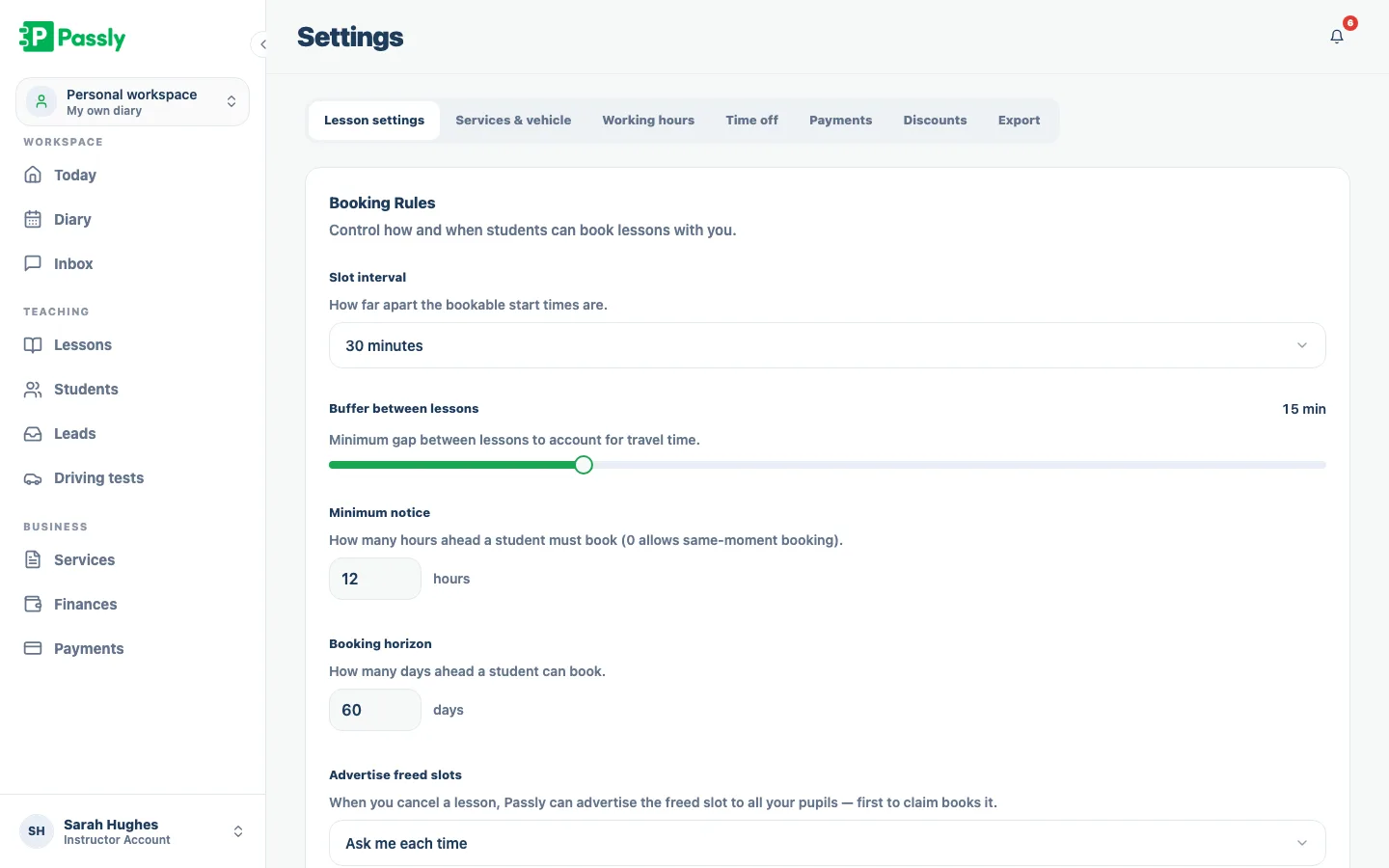
Set the rules, and let bookings run themselves
Choose which services pupils can book and give each one its own duration and price. Those are the same services used by your diary, so a two-hour block takes two hours and every booking carries the price you set.
- Choose exactly which services are bookable
- Each service has its own duration and price
- Bookings match your diary and your pricing every time
- Change your services and the booking options update with them
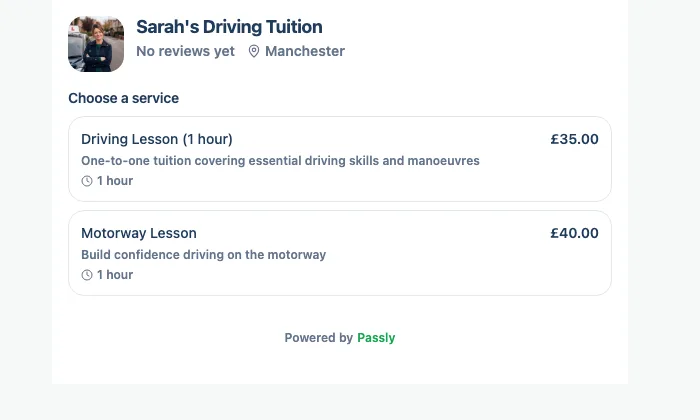
Put a booking button on your own website
Add Passly's booking widget to your website so learners can choose a service and available slot without leaving the page. It resizes to fit its container, uses the same services and availability as Passly, and sends every booking into your main diary.
- Embed the widget on any website or school page
- Learners book without leaving your site
- Same availability, services and pricing as everywhere else
- Bookings land straight in your Passly diary
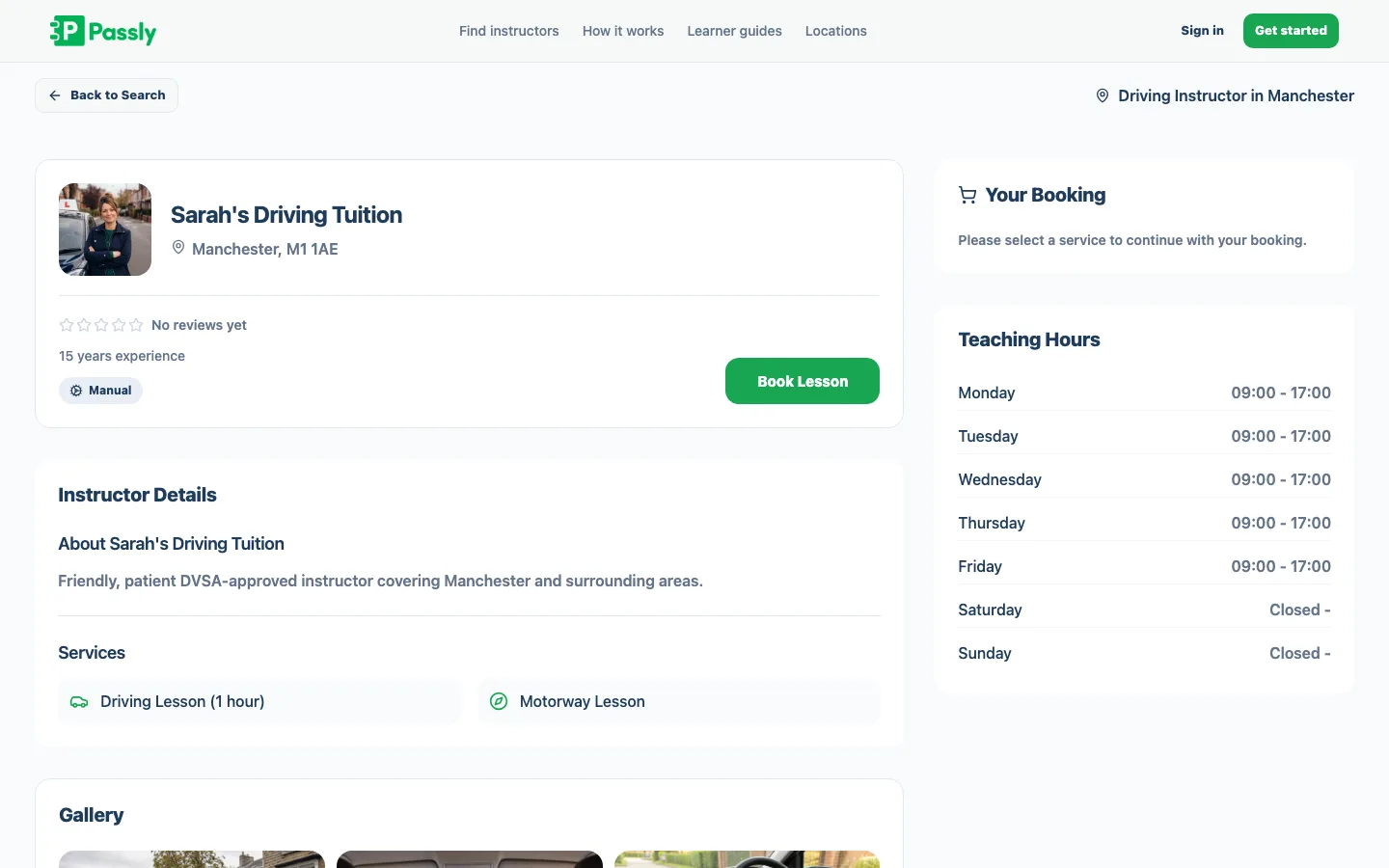
Get found and booked on the marketplace
A free public profile lets nearby learners find your services and book directly. Whether the booking comes from your profile, website or a shared link, the pupil gets an email confirmation and the lesson appears in the same Passly diary. New enquiries can also flow into your Leads inbox.
- Free public profile on the Passly marketplace
- Nearby learners can find you and book directly
- Email confirmation sent for every booking
- New enquiries also flow into your leads inbox
Questions & answers
Can pupils book their own driving lessons online?
Yes, that's the whole idea. Pupils choose a slot from your real availability and book it themselves, whether they find you on your own website, your Passly marketplace profile or a link you share. The lesson drops into your diary automatically and both of you get an email confirmation.
How does Passly know which slots to offer?
It reads your working hours and your existing diary. Only times that sit inside the hours you teach and aren't already booked are offered, and they update the instant anything changes. You never have to maintain a separate availability calendar.
Can I add the booking system to my own website?
Yes. Passly gives you an embeddable booking widget you can drop onto your own website or driving-school page. Learners book without leaving your site, and every booking respects your availability, services and prices and lands in your Passly diary.
Do pupils get a confirmation when they book?
They do. Every booking sends an email confirmation to the pupil with the date, time and lesson details. Passly is email-only, so confirmations and reminders come by email rather than SMS.
Can I control what pupils are allowed to book?
Fully. You decide which services are bookable, how long each lasts and what it costs, and pupils can only book within those rules and within your working hours. You stay in control of your week while the routine booking admin runs itself.
What happens to a booking after a pupil makes it?
It lands directly in your lesson calendar, conflict-checked so it can never clash with an existing lesson. You see it next time you open Passly on your phone, tablet or laptop, and it sits alongside every other lesson in one diary.
Can new pupils find me through Passly?
Yes. Passly includes a learner marketplace where you get a free public profile. Learners searching for lessons in your area can find you and book directly, and separate enquiries feed into your leads inbox so you can follow them up.
Explore more features
The driving instructor diary that plans your week for you
A driving instructor diary with working hours, recurring lessons and a calendar feed you subscribe to on your phone.
Learn morePupil management software that keeps every learner in one place
A proper pupil CRM: records, lesson history, notes, per-pupil pricing, a leads inbox and CSV exports.
Learn moreA pupil portal your learners will actually use.
A web-based portal where pupils see lessons, book, track progress, view balances and message you.
Learn more