

School enquiries
Enquiries for schools that sell a weekly slot
A learner ringing round schools on a Sunday night wants to know whether you can fit them in at all. Passly's enquiry form asks them which days and hours they can drive, where they live and how far along they are, and puts the answer in one inbox your office works through.
At a glance
Everything a school needs before it can place a learner
One setting decides whether your page takes bookings, enquiries or both. Every enquiry arrives with the detail that lets you decide who teaches them.
Bookings, enquiries or both
One setting in School settings decides what your public page offers: a slot picker, an enquiry form, or both side by side so the learner chooses.
Weekly availability, day by day
The learner marks each day they can drive, either the whole day or the specific hours. That is the answer you need before you can place anyone.
Postcode and pickup address
Every enquiry carries the postcode lessons would start from and the pickup address, so you can see straight away whether it is a run one of your instructors already does.
Where they are up to
Provisional licence, theory passed, practical test already booked, and how many hours they have had before. A learner with a test date needs a slot sooner than one who has not started.
One inbox for the whole school
New, waiting list, on hold, assigned, invited, converted and declined. The default view shows everything that still needs something from you.
One line on your own website
Paste a single script tag into your site and your school's form appears on your own page. It carries your school ID, so renaming the school never breaks it.
How school enquiries work
A school sells a weekly slot, so the first question is a different one
A solo instructor sells an hour. A school sells a recurring slot in someone's week, and the learner getting in touch wants to know whether you have room for them at all. Asking them to pick Tuesday at four before anyone has looked at their week asks the wrong question, and a slot picker cannot ask any other.
The enquiry form asks the school's question instead. Which days and hours can you drive, where are you, how far along are you? By the time it lands you have enough to work out who could take them and roughly when, before anyone commits to a time.
- Built for the recurring weekly slot a school actually sells
- No account needed: the learner fills the form and sends it
- Every enquiry arrives with availability attached
- You decide who teaches them, rather than the diary deciding
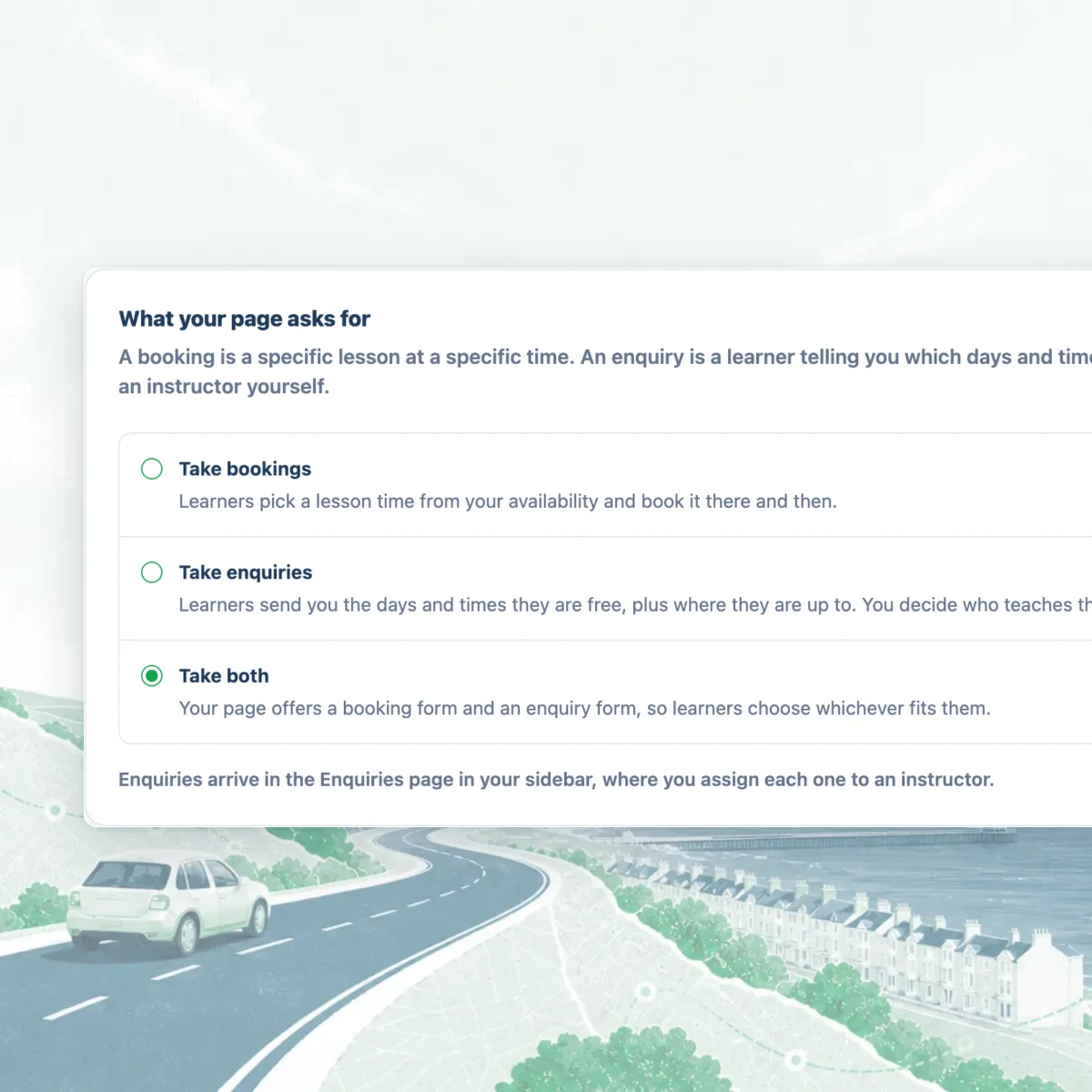
Choose bookings, enquiries, or both
One setting in School settings decides how learners reach you. Take bookings and they pick a lesson time from your availability and book it there and then. Take enquiries and they send the days and times they are free plus where they are up to, and you decide who teaches them and when. Take both and your page offers a booking form and an enquiry form, so the learner picks whichever fits.
Bookings are the default, so nothing about your page changes until you go and change it. The setting is applied twice, once on the public page and again on the server, so a school set to bookings only cannot be sent an enquiry through a hand-edited link.
- Take bookings: learners book a slot from your availability
- Take enquiries: learners send availability and you allocate
- Take both: your page offers both forms and the learner chooses
- Enforced on the page and again on the server
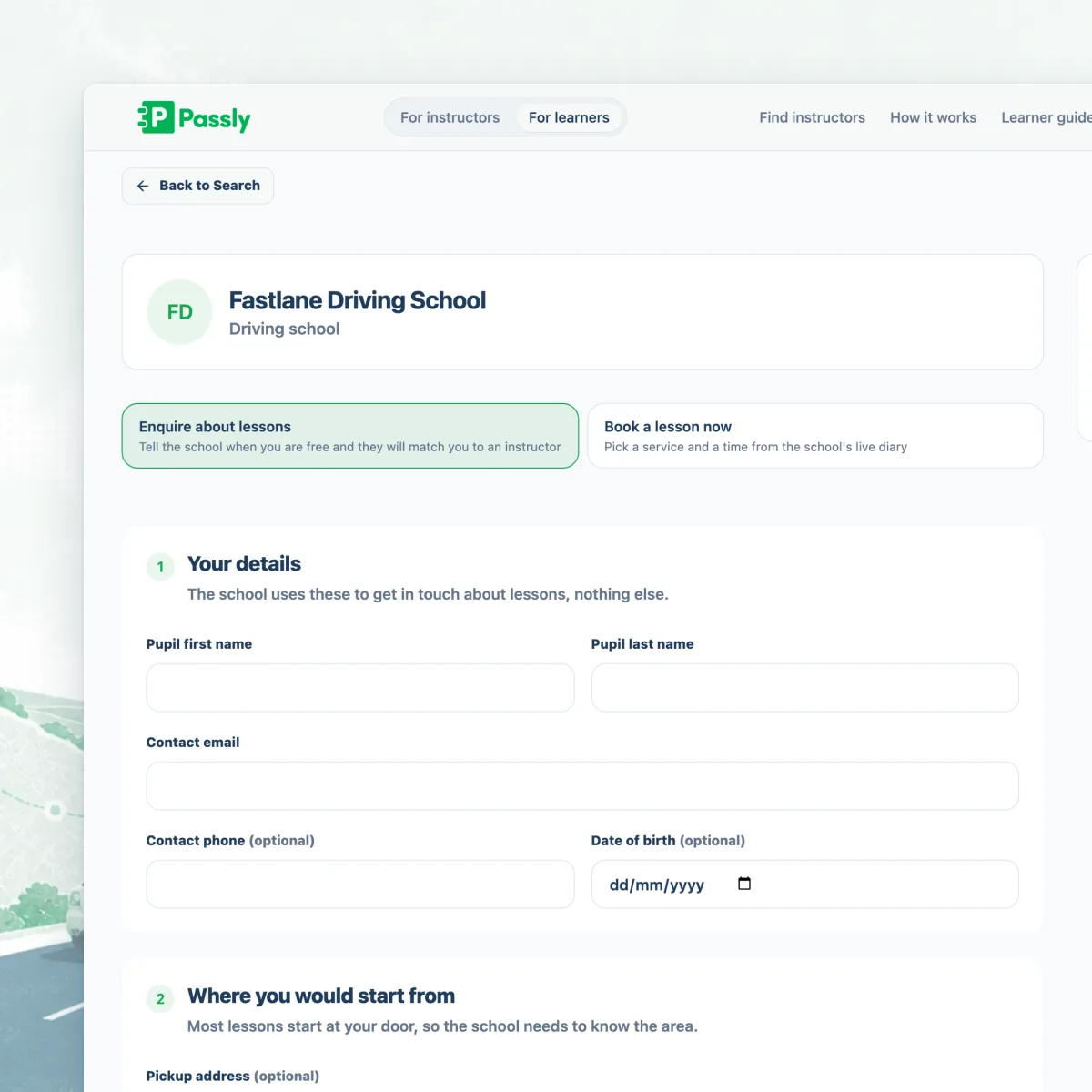
What the enquiry form asks for
Name, email, phone and date of birth. The postcode lessons would start from and the pickup address. Gearbox preference, whether they want a lesson a week, several a week or an intensive course, and the earliest date they could start.
Then the part that does the work: a weekday grid where the learner marks each day they can drive, either the whole day or the exact hours, with a notes box for what a grid cannot hold, like finishing school at half three or working alternate Saturdays. They also say whether they hold a provisional licence, have passed their theory test and have a practical test booked, and how many hours they have had so far. Where your school lets learners pick, they can name a preferred instructor. The form will not send with no availability at all, or with a day ticked and no times against it, because an enquiry like that tells you nothing.
- Weekly availability per day: all day, or the exact hours
- Postcode, pickup address and ideal first lesson date
- Provisional, theory, practical test booked and hours so far
- Preferred instructor, when your school allows the choice
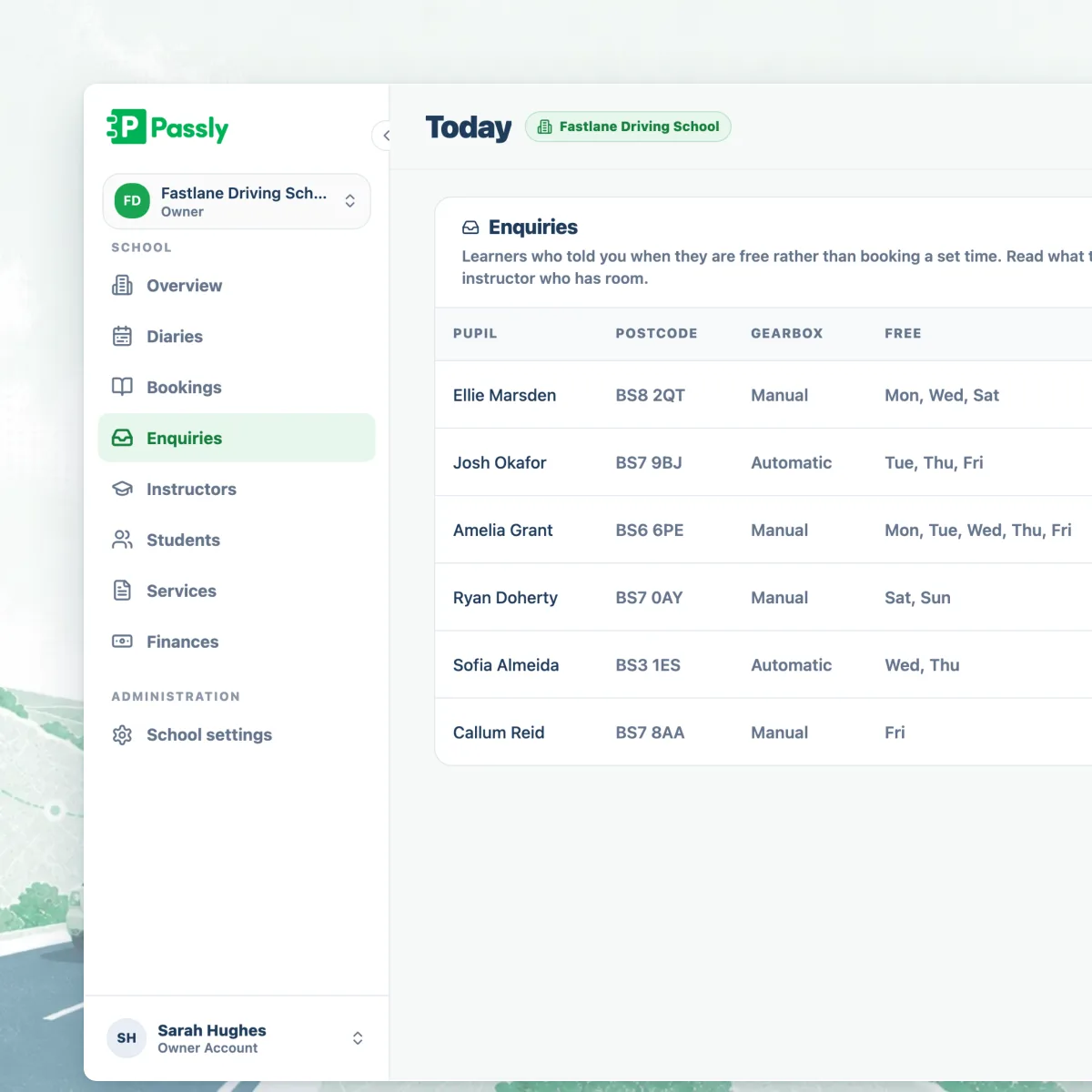
One inbox, and a status that says what happens next
Enquiries land in Enquiries in your school sidebar with one of seven statuses: new, waiting list, on hold, assigned, invited, converted or declined. You set new, waiting list, on hold and declined by hand. The other three are written by the actions that cause them, so those statuses record what happened rather than what somebody remembered to update.
The default view is everything that still needs something from you, which is every status except converted and declined. Assigned and invited stay in that list deliberately: assigning an instructor is not the end of the job, and an invitation can sit unaccepted for weeks with nobody chasing it.
- Seven statuses, four of them yours to set
- The default view hides only converted and declined
- Waiting list and on hold keep a full school honest with learners
- The assigned instructor is notified and can read their own enquiries
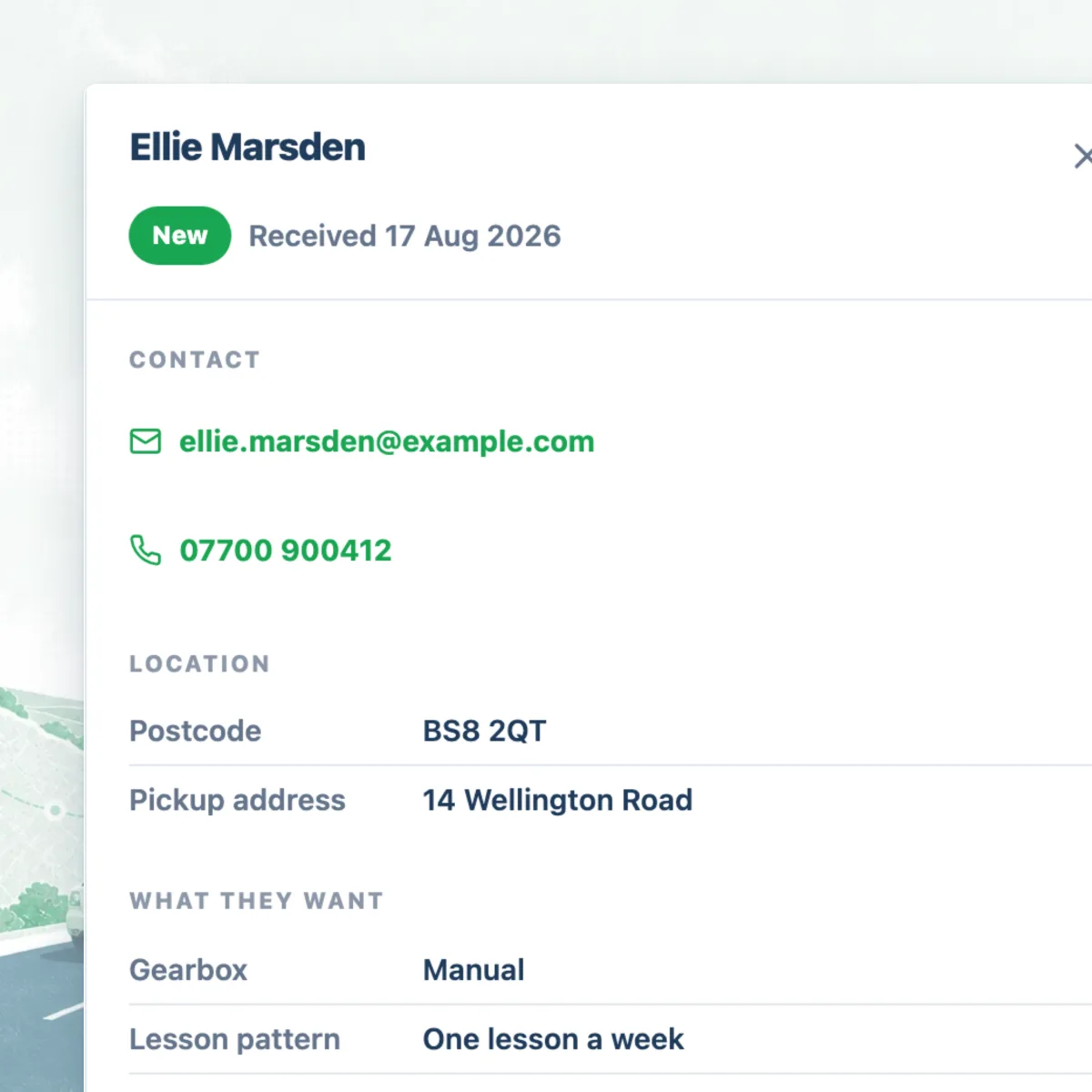
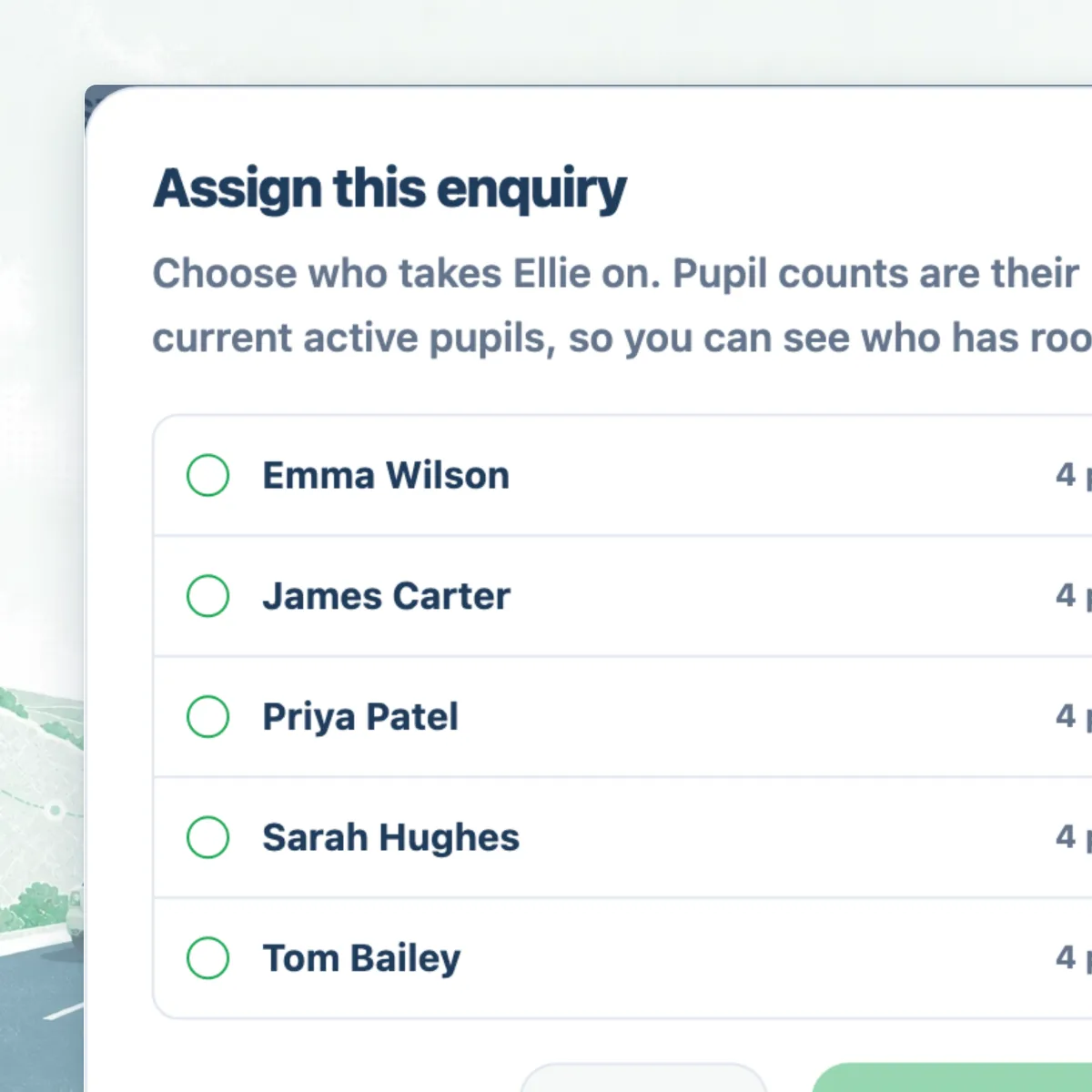
Assign an instructor, then turn the enquiry into a pupil
Assign the enquiry to whichever instructor has room and it moves to assigned, with that instructor notified. When you convert it, Passly emails the learner an invitation that lasts seven days and the enquiry moves to invited. The email leads with your school's name and logo, and replies come back to you, because as far as the learner is concerned they enquired with your school.
The learner opens the link, signs up or signs in and accepts. At that point they are attached to that instructor, the enquiry is marked converted and holds a link to the pupil record it created, and from there they book and pay like any other pupil. Converting an enquiry that has already been invited resends the invitation rather than creating a second one.
- Assign to the instructor with capacity, and they are notified
- Conversion emails a seven day invitation to the learner
- The learner accepts, and becomes a pupil of that instructor
- Converting an already invited enquiry resends the invitation
Put the school's form on your own website
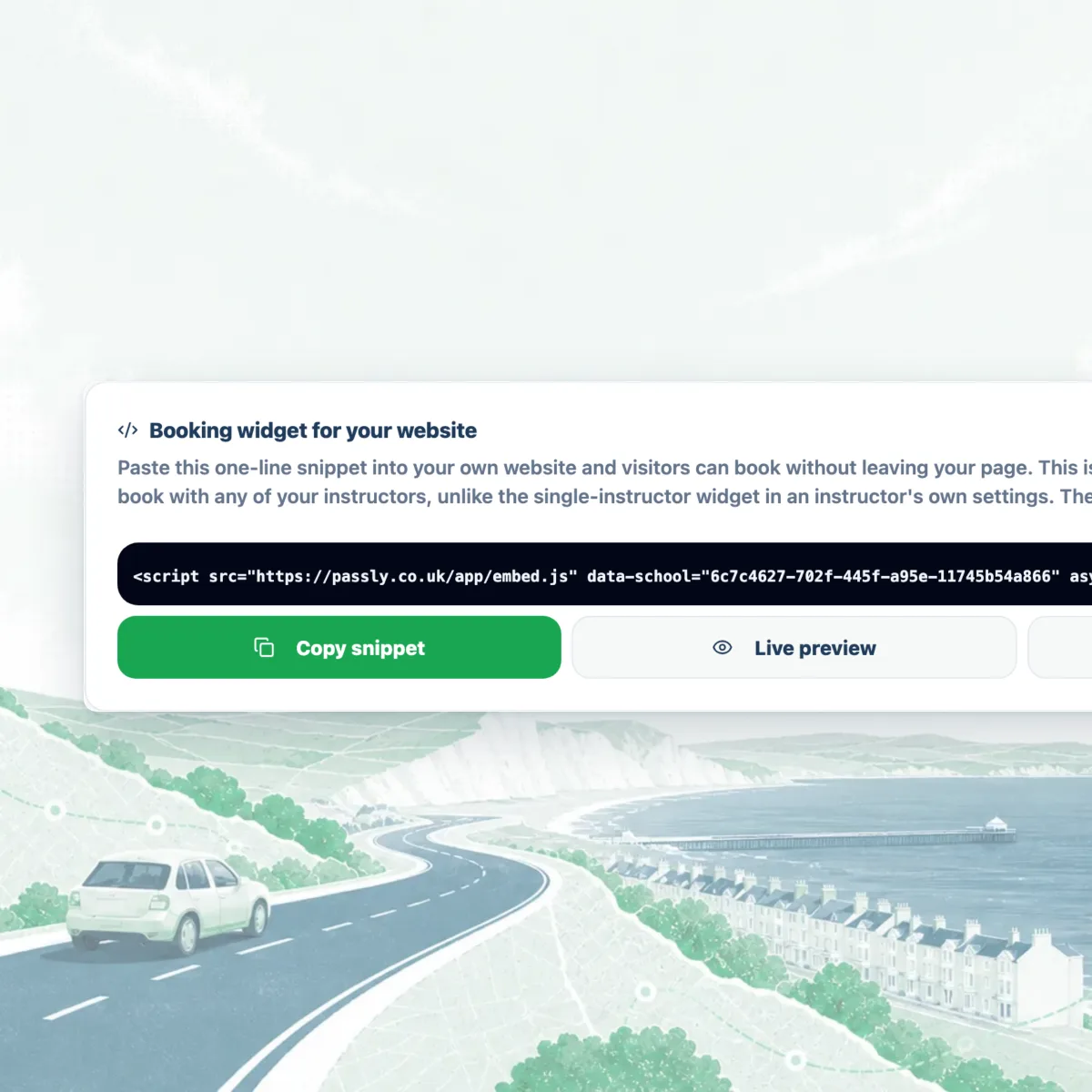
School settings gives you a one-line script tag. Paste it into your own site and your school's form renders on your page, sized to fit its content, with no Passly navigation around it. It is the whole school, so it is not the same widget as the single-instructor one in an instructor's own settings.
The snippet carries your school's ID rather than its name, so renaming the school never breaks a widget somebody pasted in two years ago. If you take both bookings and enquiries you can point a page at one form specifically, and the choice is held to whatever your school actually offers.
- One line of HTML, copyable from School settings
- Resizes itself, so your page needs no fixed height
- The whole school, not a single instructor's widget
- Renaming the school never breaks a pasted snippet
What enquiries cost
Nothing beyond your subscription. Enquiries carry no commission, because no money moves when a learner sends one. The 1.5% Passly fee applies only to lesson payments processed through Passly, on top of standard Stripe charges.
The subscription is £14.99 a month for your first instructor and £8.99 a month for every instructor after that, with school features on the same plan rather than sold as a higher tier. A five-car school is £50.95 a month, whether it takes bookings, enquiries or both.
There is no per-enquiry charge, no charge for the embed and no charge for the marketplace listing that brings enquiries in.
Questions & answers
What is the difference between taking bookings and taking enquiries?
A booking is a learner picking a lesson time from your availability and booking it there and then. An enquiry is a learner telling you which days and hours they can drive, where they are and how far along they are, and leaving it to you to decide who teaches them and when. Passly lets a school do either, or offer both on the same page and let the learner choose.
Why would a driving school take enquiries rather than bookings?
Because a school sells a recurring weekly slot rather than a one-off hour. The first conversation with a new learner is about whether you have room for them at all, and a slot picker cannot ask that. The enquiry form asks the questions a school needs answered before it can place someone: when are you free, where are you, and how far along are you?
What does the enquiry form ask a learner for?
Name, email, phone and date of birth, the postcode lessons would start from and the pickup address, gearbox and course preference, and the earliest date they could start. Then their availability, marked day by day as either the whole day or specific hours, plus notes. They also say whether they hold a provisional licence, have passed theory and have a practical test booked, and how many hours they have had. It will not send without availability.
Do learners need a Passly account to send an enquiry?
No. The enquiry form is open to anyone on your public school page or on the form you have embedded in your own website. An account only comes into it later, when you convert the enquiry and the learner accepts your invitation to become a pupil.
How does an enquiry become a pupil?
You assign the enquiry to an instructor, then convert it. Passly emails the learner an invitation that lasts seven days, branded with your school's name and logo, and the enquiry moves to invited. When the learner opens the link and accepts, they are attached to that instructor, the enquiry is marked converted and they are an ordinary pupil from that point on.
Can I put the enquiry form on my own website?
Yes. School settings gives you a one-line script tag to paste into your site, and the school's form renders on your page and resizes itself to fit. The snippet carries your school's ID, so renaming your school never breaks it. If you take both bookings and enquiries, a page can be pointed at one form specifically.
Does Passly charge commission on an enquiry?
No. Enquiries carry no commission, because no money changes hands when one is sent. The 1.5% fee applies only to lesson payments taken through Passly, on top of standard Stripe processing charges. Your subscription is £14.99 a month for your first instructor and £8.99 for each one after that.
Does Passly match enquiries to instructors automatically?
No, and it does not pretend to. Passly puts the learner's availability, postcode and progress in front of you in one place, and you decide which instructor to assign. Matching availability against instructors' open slots is not something Passly does today.
Explore more features
An online booking system built for driving instructors
Let pupils book from your real availability, embed a booking widget on your site and confirm every lesson by email.
Learn morePupil management software that keeps every learner in one place
A proper pupil CRM: records, lesson history, notes, per-pupil pricing, a leads inbox and CSV exports.
Learn moreGet more driving school pupils and instructor leads
A free marketplace listing, a public profile, a leads inbox and a booking widget, everything you need to fill your diary.
Learn more