

Messaging & reminders
Driving instructor pupil communication, all in one place
Stop running your pupil chat across three phones, a personal number and a diary full of sticky notes. Passly keeps every message, booking confirmation and lesson reminder in one tidy thread, so nobody turns up on the wrong day and nobody texts you at 9pm.
Talk to pupils without the chaos
Everything you need to keep pupils in the loop
Messaging and reminders that live inside the same app as your diary and your pupil records, not scattered across WhatsApp, email and your personal mobile.
In-app message threads
Every pupil gets their own conversation thread. Ask about a reschedule, confirm a pickup point or answer a theory question without giving out your personal number.
Booking confirmations
The moment a lesson is booked or confirmed, the pupil gets an email with the date, time and service. No more "are we still on?" messages.
Lesson reminders
The day before each lesson, Passly reminds the pupil by email, in-app and push notification in the Passly app. Fewer forgotten lessons, fewer empty hours.
Payment reminders
Send a polite email nudge for an outstanding balance instead of an awkward doorstep conversation. Passly does the chasing so you can teach.
Reschedules keep everyone posted
Cancel, move or decline a lesson and the pupil is emailed automatically with the new details. No double-booked Tuesdays.
Works between lessons
The responsive web app opens on your phone at the kerb. Read a message and reply in the two minutes before your next pickup, no app to install.
How Passly handles pupil communication
One thread per pupil, not five apps
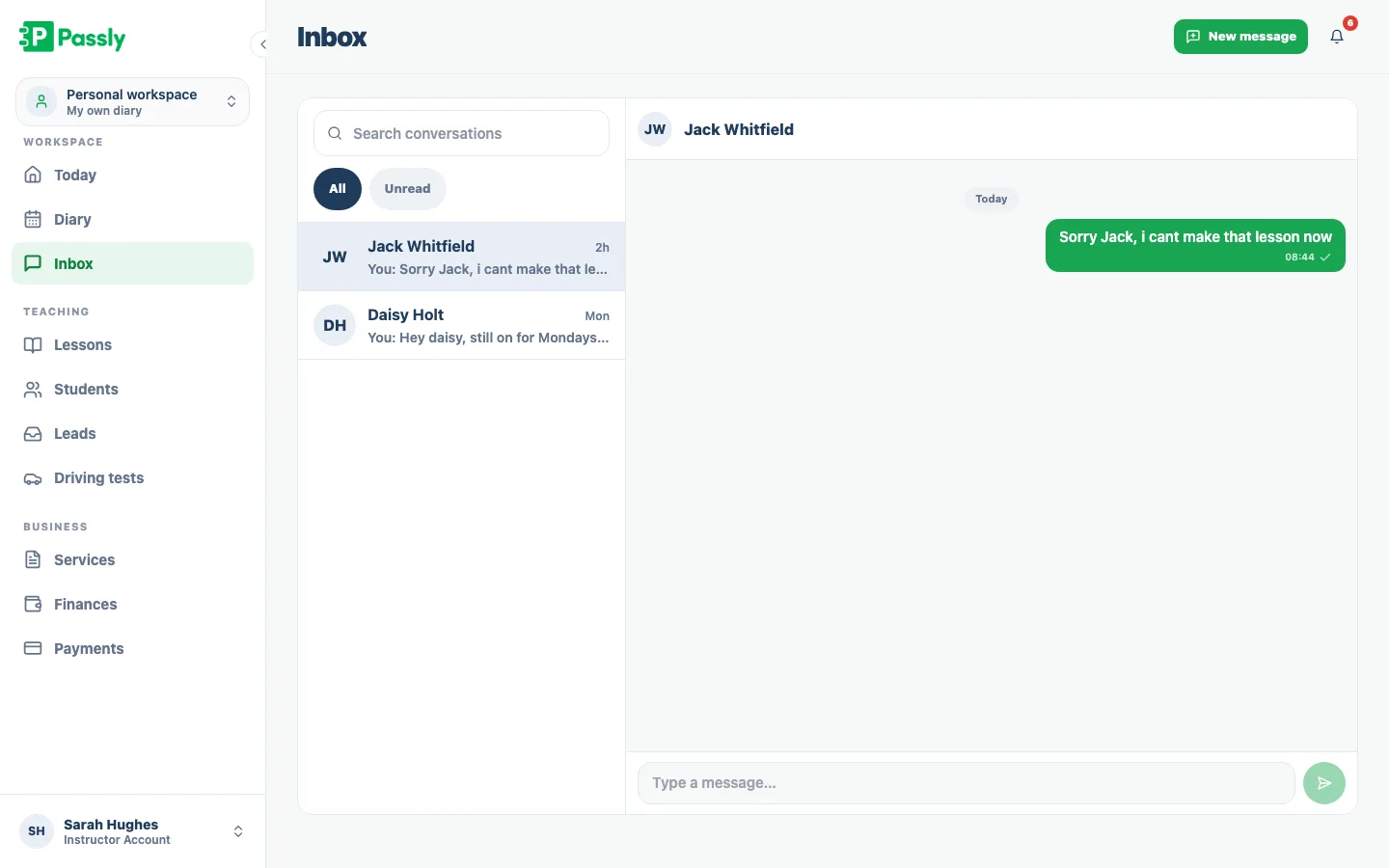
Every pupil gets one conversation thread beside their Passly record. The desktop view keeps the conversation list and open thread together, while mobile gives the message its own screen. The history stays in one place and your personal phone number remains private.
- A dedicated thread for every pupil, tied to their record
- Two-pane view on desktop, full-screen thread on mobile
- Your personal mobile number stays private
- Full message history in one searchable place
Confirmations and reminders that send themselves
Passly emails pupils when lessons are requested, confirmed, moved, declined or cancelled, using the details already in your diary. The day before each lesson a reminder also goes out by email, in-app and push notification in the Passly app, to reduce missed appointments. Passly does not send SMS, so there are never per-text fees.
- Automatic emails for booked, confirmed, moved and cancelled lessons
- A reminder by email, in-app and push the day before each lesson
- Every email includes the exact date, time and service
- Driven straight from your diary, nothing to send by hand
Screenshot: Lesson confirmation and reminder emails
Chase payments without the awkward conversation
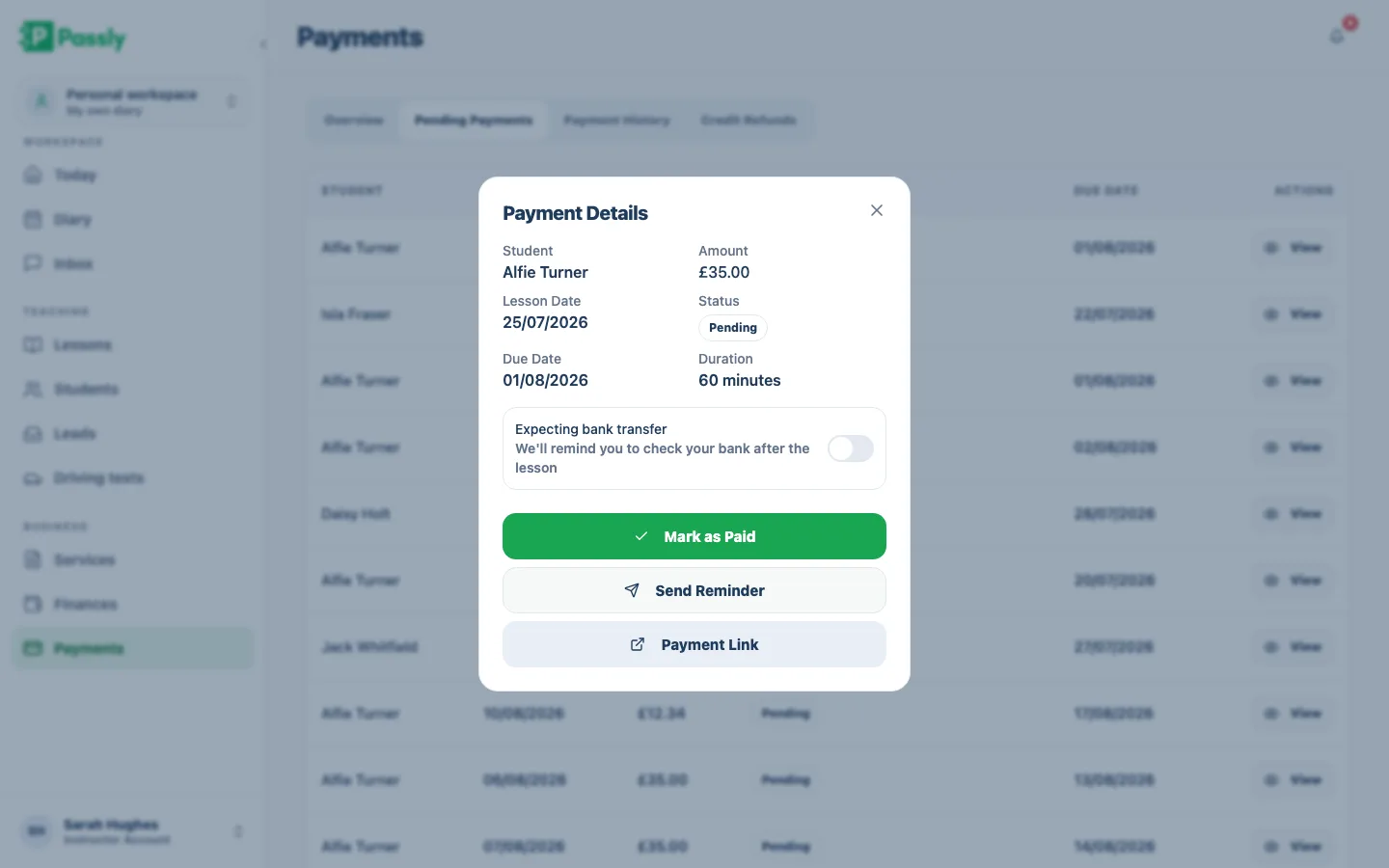
Send a clear payment reminder email from the pupil's record instead of writing another awkward text. Passly keeps lesson credits, payment status and history beside the pupil, so you can see what is outstanding before you send the reminder.
- Email payment reminders from the pupil's record
- Balances and lesson credits tracked alongside each pupil
- No more roadside money conversations
- Less admin at the end of a long teaching day
Reply from the kerb, not the sofa at 9pm
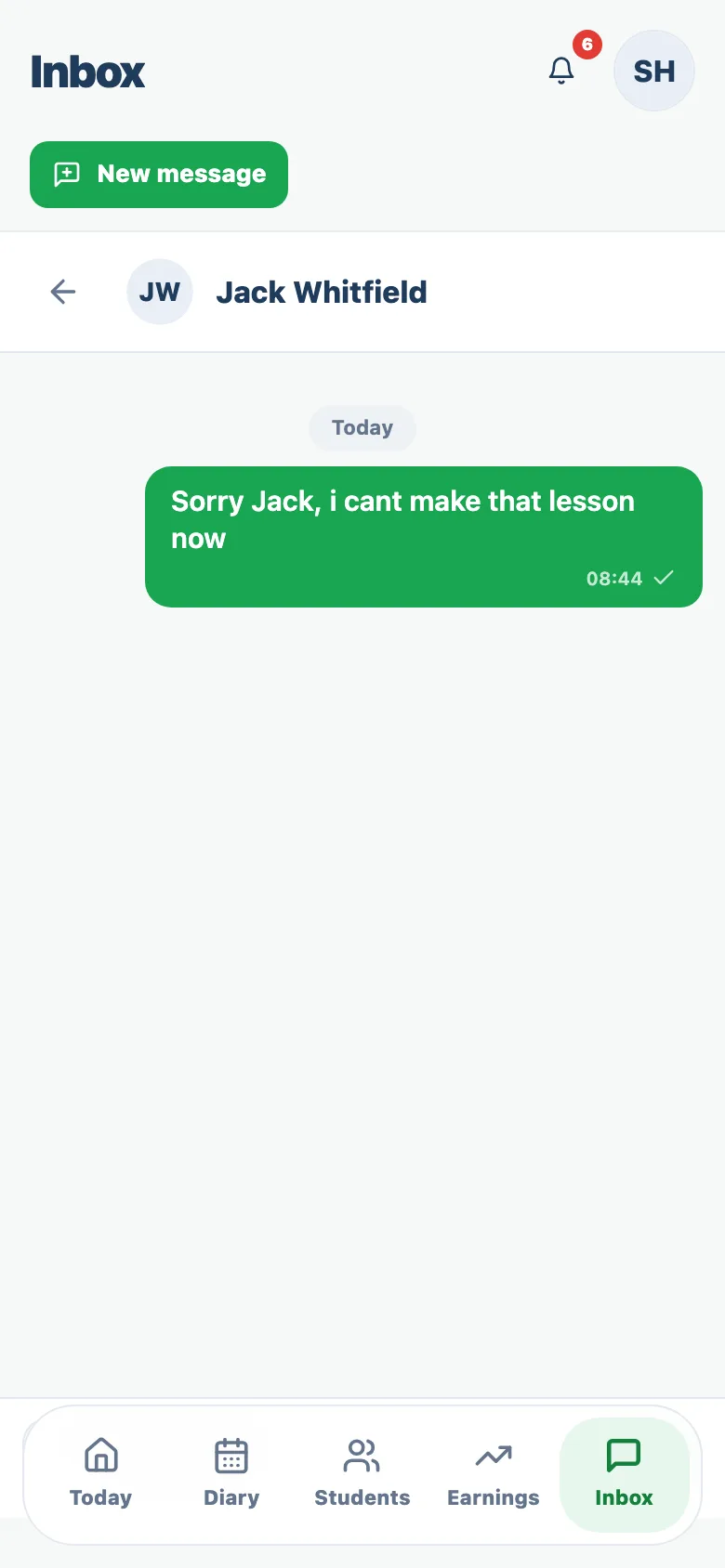
Passly runs in your phone's browser, so you can read and reply between lessons without installing another app. The same messages are waiting on your laptop later, keeping pupil communication in one work space instead of across your personal accounts.
- Responsive web app, no install, works on any phone
- Read and reply between lessons in seconds
- Everything syncs to your laptop and back
- Keep evenings for you, not admin
Questions & answers
How do I message my driving pupils in Passly?
Each pupil has their own conversation thread inside Passly. On a laptop you see your list of conversations beside the open thread; on your phone the thread opens full screen. You message and reply entirely within the app, so your personal mobile number stays private and the whole history is kept in one place.
Does Passly send lesson reminders to pupils?
Yes. The day before each lesson Passly reminds the pupil by email, in-app and push notification in the Passly app, with the date, time and service. It also emails confirmations when a lesson is booked, confirmed, moved or cancelled. Passly does not send SMS, so there are no per-text fees.
Can Passly remind pupils about payments?
Yes. You can send a payment reminder email straight from a pupil's record when they have an outstanding balance or their lesson credits have run out. Passly tracks each pupil's balance and lesson history, so you always know who owes what before you send the nudge.
Do my pupils need to download an app to message me?
No. Passly runs in the web browser on any phone, tablet or laptop, so there is nothing for you or your pupils to install. Pupils receive email notifications and can pick up the conversation whenever it suits them.
Will using Passly stop pupils texting my personal number?
That is the idea. Because messages, booking confirmations and reminders all run through Passly, pupils have a proper channel to reach you and you keep your personal number to yourself. Late-night texts become in-app messages you can answer between lessons.
Does Passly send SMS text messages?
No, and that is deliberate: there are never per-text fees. Pupils get confirmations, payment nudges and lesson reminders by email, in-app and push notification in the Passly app, and can chat with you inside the app. Passly just does not send text messages.
What emails do pupils get when a lesson changes?
Passly emails the pupil automatically whenever a lesson is requested, confirmed, declined, rescheduled, cancelled, completed or refunded. Each email states the exact date, time and service, so both of you always have the same, current details.
Explore more features
The driving instructor diary that plans your week for you
A driving instructor diary with working hours, recurring lessons and a calendar feed you subscribe to on your phone.
Learn moreAn online booking system built for driving instructors
Let pupils book from your real availability, embed a booking widget on your site and confirm every lesson by email.
Learn morePupil management software that keeps every learner in one place
A proper pupil CRM: records, lesson history, notes, per-pupil pricing, a leads inbox and CSV exports.
Learn more