

Pupil management
Pupil management software that keeps every learner in one place
Ditch the notebook full of half-remembered details and the contacts app full of 'Learner Josh'. Passly gives every pupil a proper record, history, notes, pricing and progress, so you always know exactly where each learner stands.
At a glance
A CRM built for a driving instructor's week
Everything you keep in your head, your phone and three notebooks, gathered into one record per pupil.
Pupil records
A tidy CRM record for every learner, contact details, transmission, lesson type and status, so you're never digging through texts to remember who's who.
Portal invitations
Invite a pupil to their own portal by email in one tap. They get a place to see their bookings and progress, and you get fewer 'what time am I in on Thursday?' messages.
Per-pupil pricing
Set the services and prices that apply to each learner. A block-booking regular and a one-off refresher can sit on entirely different rates without any mental arithmetic.
Lesson history
Every lesson a pupil has taken, in order, on their record. See at a glance how many hours they've done and when you last saw them.
Notes
Keep working notes on each pupil, what to revisit next time, nerves before the test, the manoeuvre that still needs work. It's all on their record, not on a receipt in the door pocket.
Leads and enquiries inbox
New enquiries land in one inbox ready to become pupils. Follow them up, convert the good ones, and stop losing prospects between screenshots and voicemails.
How Passly keeps your pupils organised
One record per pupil, everything in it
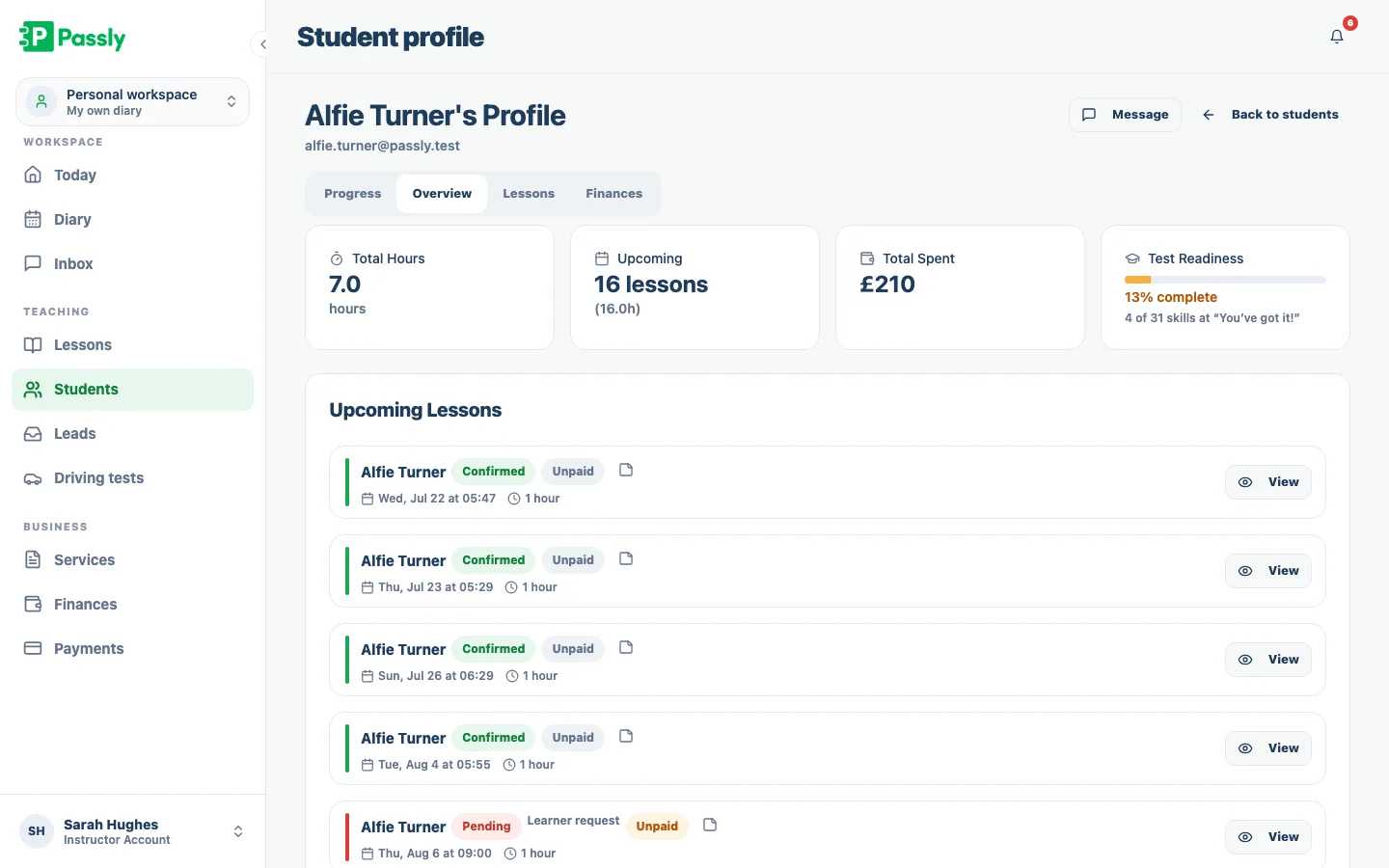
Each learner has one record for contact details, transmission, services and status. Lessons, notes, pricing and progress stay attached to that same pupil, so you can open one place and understand the full history without searching through messages or diary notes.
- Contact details, transmission and lesson type in one place
- Active, waiting and past pupils clearly separated
- Everything about a learner hangs off their record
- No more hunting through texts to remember a detail
Invite pupils to their own portal
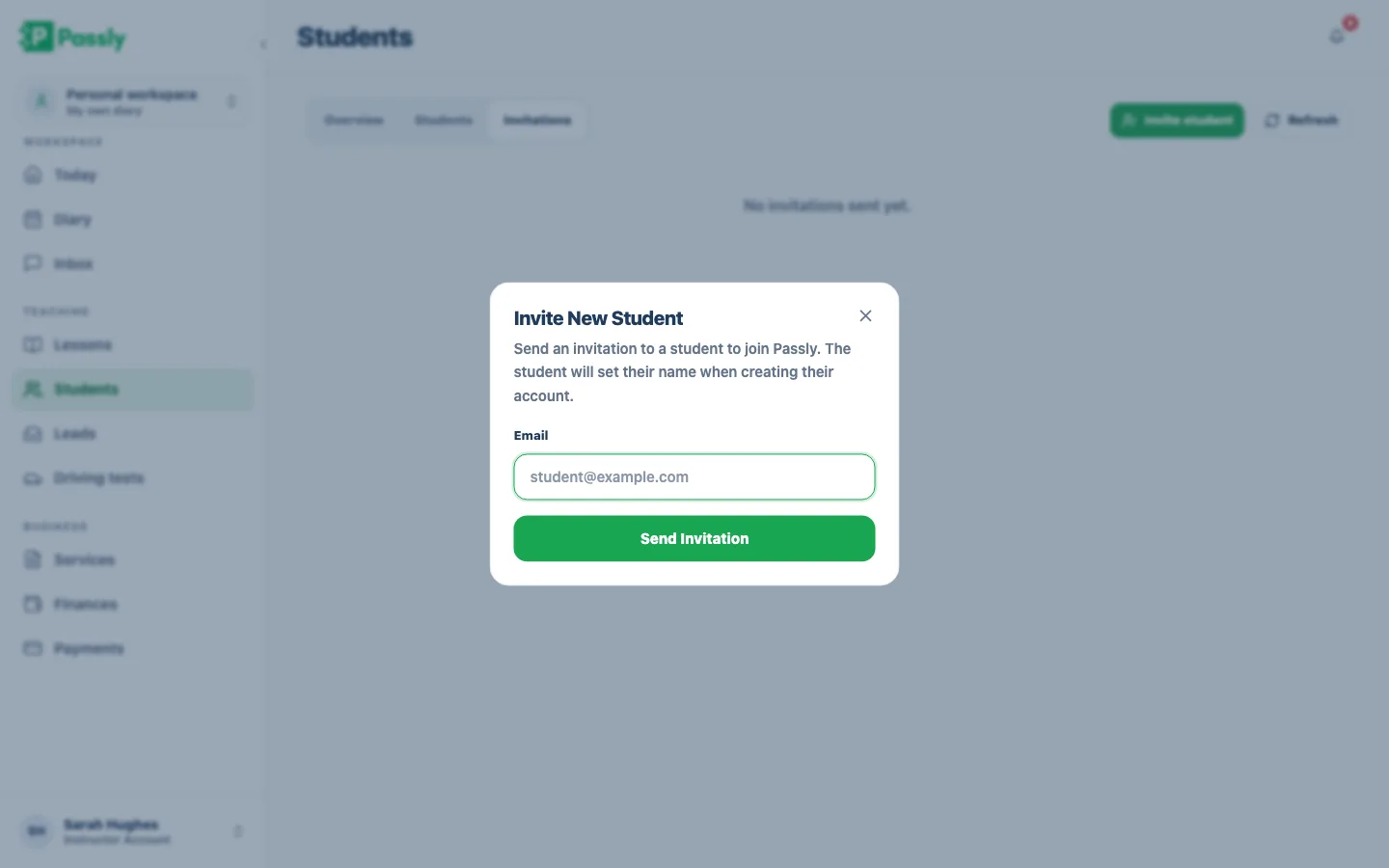
Send a portal invitation by email from the pupil's record. Learners can then check upcoming bookings and progress themselves, reducing routine messages while giving them a clearer view of their own learning.
- Send a portal invitation by email from the pupil's record
- Pupils see their bookings and progress themselves
- Fewer routine 'what time am I in?' messages
- Learners who feel part of their own progress
Pricing, history and notes that follow the pupil
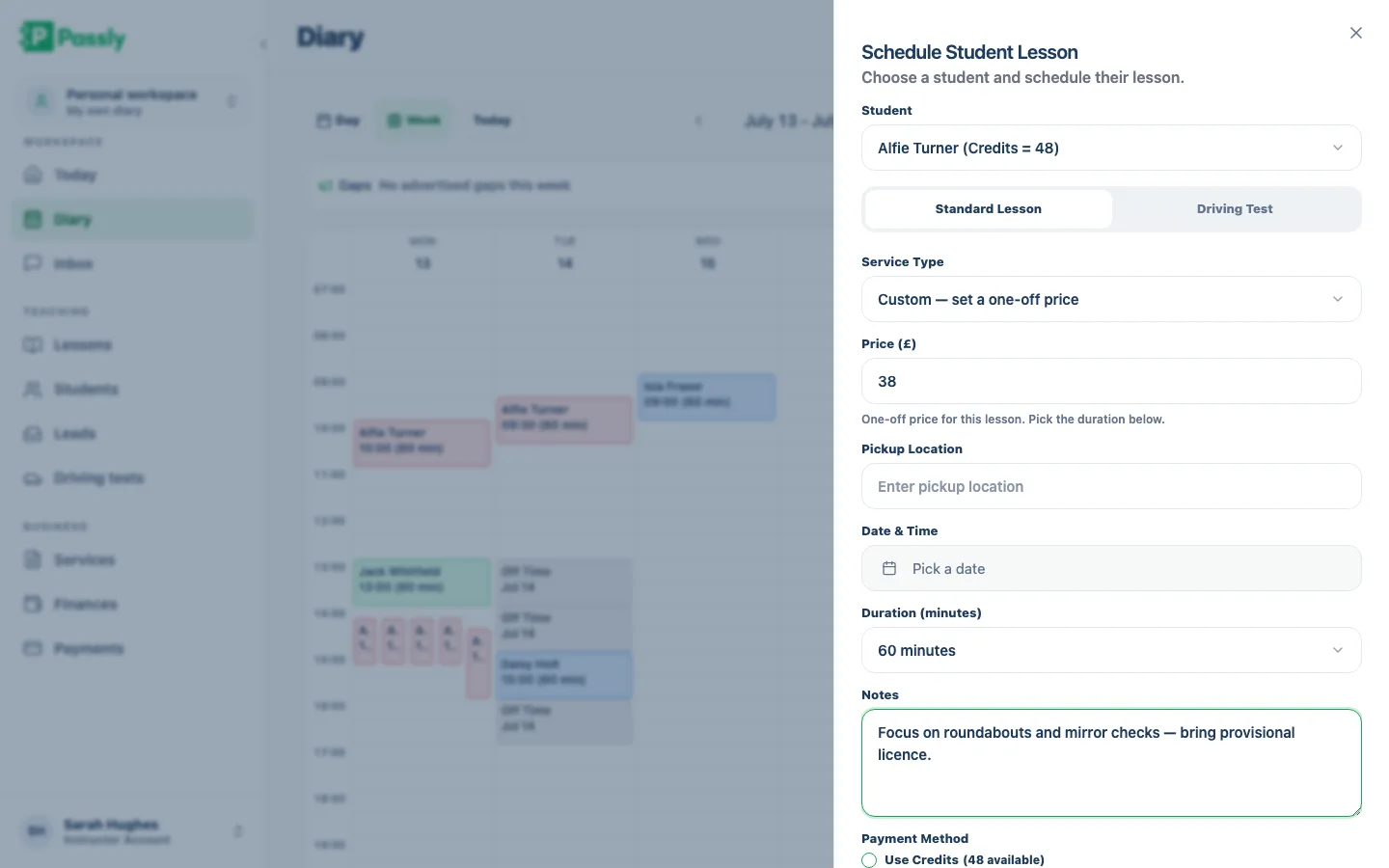
Set the services and prices that apply to each pupil, then keep their lesson history, hours and teaching notes on the same record. When a learner returns after time away, you can see what they paid, what they covered and what to revisit next.
- Set services and pricing per pupil, not one-size-fits-all
- Full lesson history and hours on every record
- Freeform notes for what to revisit next time
- Pick up returning pupils exactly where you left them
Turn enquiries into pupils, then keep your data yours
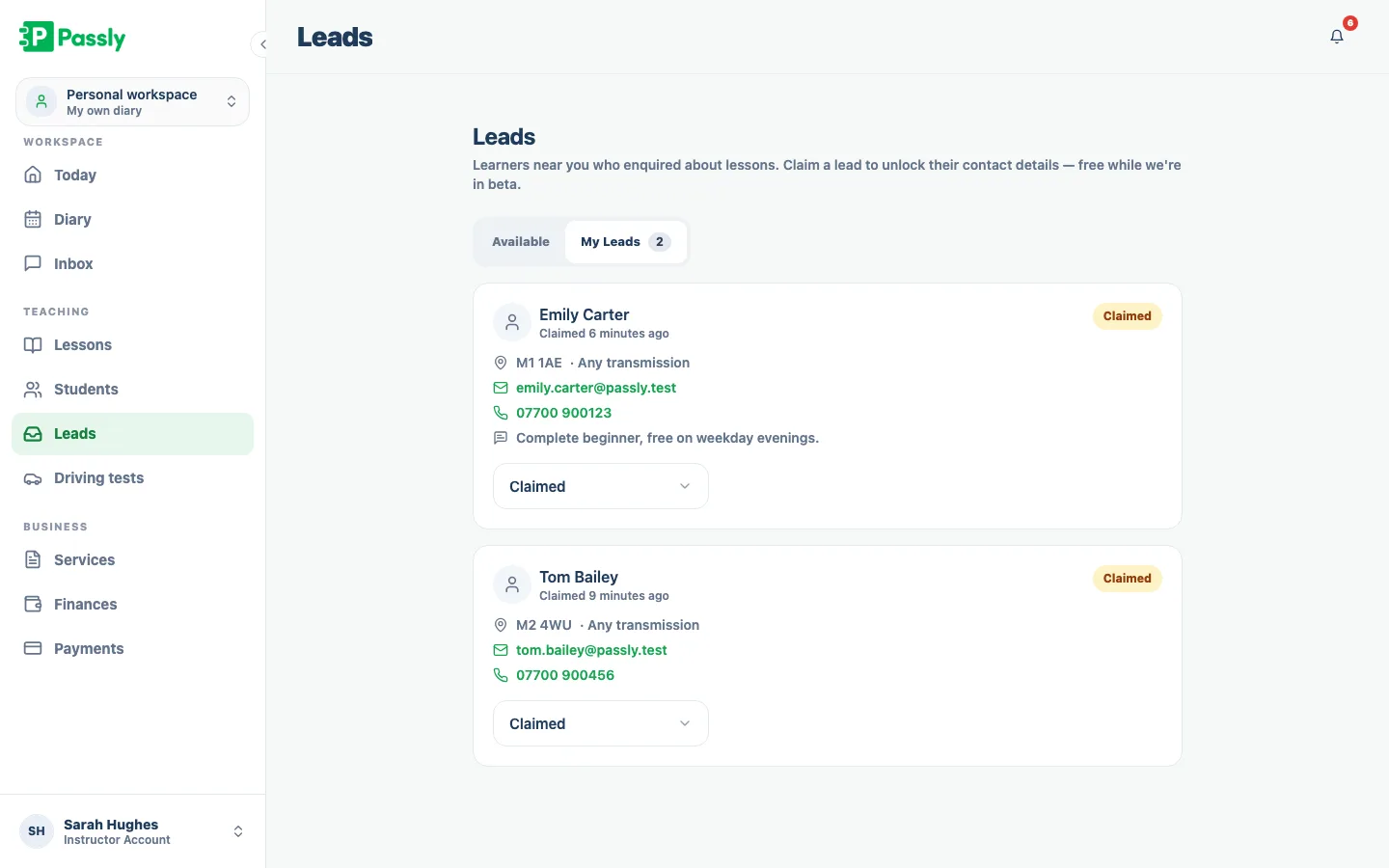
Keep new enquiries in one Leads inbox, work through each prospect and convert the right people into full pupil records. You can also export pupils, lessons, payments and services to CSV whenever you need a backup or a file for your accountant.
- Enquiries collected in one leads inbox
- Convert prospects into full pupil records
- Export pupils, lessons, payments and services to CSV
- Your data stays yours, portable, any time
Questions & answers
What is pupil management software and do I need it?
It's a place to keep everything about your learners, contact details, lesson history, pricing, notes and progress, in one organised record instead of across a notebook, your phone and your memory. If you teach more than a handful of pupils, it saves you time every week and stops details slipping through the cracks.
Can I keep notes on each pupil?
Yes. Every pupil has their own record where you can jot working notes, what to cover next time, which manoeuvre still needs work, how they handled the test nerves. The notes sit alongside their lesson history, so you can pick up exactly where you left off, even after a break.
Can I set different prices for different pupils?
You can. Passly lets you assign services and pricing to each pupil individually, so a block-booking regular and a one-off refresher can be on completely different rates. The right price is attached to the right learner, with no mental arithmetic at the kerb.
How do I invite a pupil to their online portal?
From the pupil's record you send them an email invitation in a single action. They get access to their own portal where they can see their bookings and progress, which cuts down the routine messages you'd otherwise field in the evenings.
Where do new enquiries go?
Into your leads inbox. Enquiries from your marketplace profile and public forms collect in one list, so prospects don't get lost between missed calls and screenshots. You follow them up and convert the good ones into full pupil records.
Can I export my pupil data?
Yes. Passly lets you export your pupils, lessons, payments and services to CSV whenever you want. Your records are always yours to keep, back up or hand to your accountant, nothing is locked in.
Does the pupil record show their lesson history?
It does. Every lesson a pupil has taken is listed in order on their record, so you can see how many hours they've done and when you last taught them. It's the running story of each learner, always up to date.
Explore more features
The driving instructor diary that plans your week for you
A driving instructor diary with working hours, recurring lessons and a calendar feed you subscribe to on your phone.
Learn moreAn online booking system built for driving instructors
Let pupils book from your real availability, embed a booking widget on your site and confirm every lesson by email.
Learn moreA pupil portal your learners will actually use.
A web-based portal where pupils see lessons, book, track progress, view balances and message you.
Learn more